Almost every successful small business starts on spreadsheets, and that is a good thing. They are flexible, familiar and fast to change. But somewhere along the way a spreadsheet stops being a tool and becomes infrastructure: the quoting model, the inventory list, the client tracker, the project schedule, the payroll workbook that ten people edit and everyone fears touching. That is the moment to consider whether the business has outgrown Excel. This guide helps you recognise the signs, understand the risks and move to custom software safely.
The hidden costs of spreadsheet-driven operations
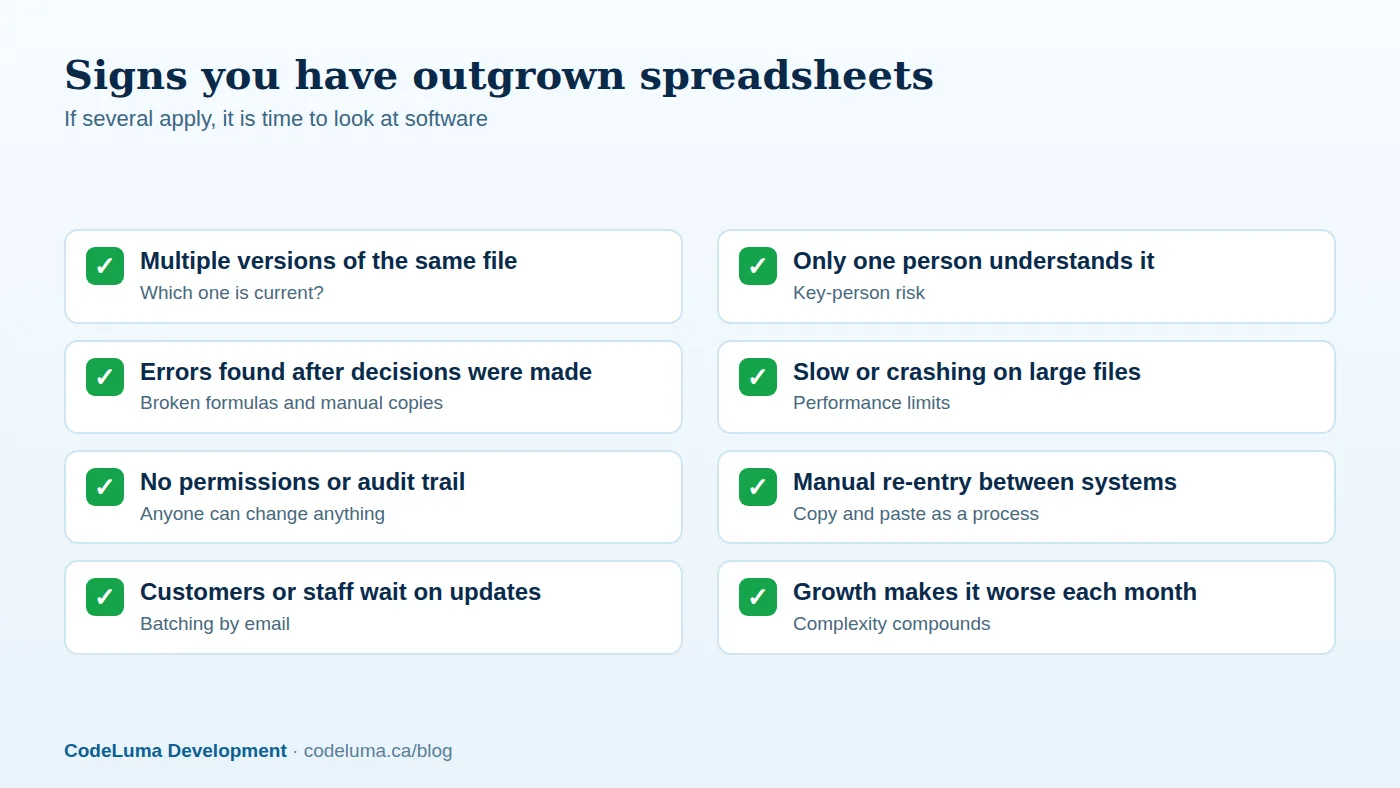
- Errors. Research on spreadsheets consistently finds that a significant proportion contain mistakes, and a single wrong reference can silently distort pricing, payroll or forecasts. Nothing in a spreadsheet stops invalid data.
- Version chaos. Files emailed back and forth, "final_v3_REAL.xlsx," and colleagues working from stale copies.
- Key-person dependency. The person who built the formulas leaves or is on holiday, and nobody dares change anything.
- No real access control. Sharing a file shares everything. There is limited history of who changed what, which is a problem for accountability and compliance; see our audit logging article.
- Manual work. People copy data between spreadsheets, email, accounting and websites, which is slow and error-prone.
- Scale limits. Large files slow down, concurrent editing conflicts, and data volumes exceed what a grid handles comfortably.
- Security and privacy. Spreadsheets with customer data get emailed, copied to laptops and forgotten on shared drives; see our privacy law overview.
- Lack of automation. Reminders, approvals, notifications and integrations require humans to remember.

What custom software gives you
Custom software replaces the spreadsheet with a structured application built around your process. Data lives in a proper database with validation, so invalid entries are rejected at the door. Multiple people work simultaneously with role-based permissions. Every change is logged. Workflows are enforced: a quote must be approved before it is sent, a job cannot close without a signature. Forms replace free-text cells, dashboards replace manual charts (our dashboards article), and integrations exchange data with accounting, email, payments and websites automatically (our integration guide). Notifications and reminders happen by themselves. Access from phones and tablets, including offline use for field staff (our PWA article), becomes possible.
Do not throw away what works
The spreadsheet encodes years of business knowledge: pricing rules, edge cases, naming conventions, rules of thumb. A good project starts by treating it as a specification. Walk through every sheet, formula and macro; ask users why each column exists; identify which parts are essential, which are historical accidents and which are workarounds for the spreadsheet's own limits. Preserve the calculations that matter, and document them as business rules with test cases drawn from real examples so the new system can be proven to produce the same results.
Custom, off-the-shelf or low-code?
- Off-the-shelf software is the right answer when your process is standard (accounting, basic CRM, standard project management). It is cheap and mature, but you adapt to it. Check whether an existing product already covers 80 percent of your needs.
- Low-code and no-code platforms can replace simple internal tools quickly; see our article on low-code and AI assistants. Watch for limits on complex logic, performance, cost at scale and lock-in.
- Custom software fits when your process is your competitive advantage, is unusual, must integrate deeply with other systems, involves many users and large data or requires specific security, branding or customer-facing portals. It costs more upfront and pays back through fit, control and no per-seat licence sprawl.
Compare using total cost over three to five years, including licences, workarounds, staff time and errors, as we discuss in our custom versus off-the-shelf article.
Where to start
You do not need to replace everything at once. Choose the spreadsheet that causes the most pain or risk, and within it the process that delivers the quickest win. Typical first modules include a customer or job tracker with statuses and assignments, a quoting and estimating tool, inventory and orders, scheduling, or a client portal that removes a stream of "what is the status?" emails. Build a minimal version that handles the core workflow, put it in the hands of real users and improve it. This is the same approach as in our MVP guide.


Migrating the data safely
- Clean first. Duplicates, inconsistent spellings, merged cells and free-text dates will hurt. Decide on canonical formats and fix data at the source where possible.
- Map fields to the new data model, including the handling of multi-value cells and notes.
- Import with validation and a report listing rows that failed and why; do not silently drop data.
- Rehearse. Run the migration several times against copies, compare totals and spot-check records.
- Run in parallel for a short period, and reconcile results between old and new.
- Keep the spreadsheet read-only as an archive, then retire it. Do not let two sources of truth live on indefinitely.
- Back up everything before cutover, following our backup guide.
Managing the people side
Users who love their spreadsheets will resist a system that feels slower or more rigid. Involve them from the start, keep the interface fast and familiar, provide import and export to Excel for the things people still need to do, offer training and quick reference guides, and celebrate wins such as hours saved or errors avoided. Where a sheet had shortcuts, replicate them with bulk edits, keyboard support and saved filters. Designate champions in each team and collect feedback regularly.
Cost and return
Estimate the value: hours spent on manual data handling per week times hourly cost, cost of errors and rework, lost revenue from slow quoting or missed follow-ups, and the risk cost of key-person dependency and data leaks. Compare with build costs, hosting and maintenance (our retainer article). Many spreadsheet replacement projects pay back within a year, particularly when they eliminate duplicate data entry across several staff. Be sceptical of promises of zero cost or instant transformation; well-scoped phases with visible results are the healthy pattern. See how we estimate software projects.
Common pitfalls
- Rebuilding every quirk of the spreadsheet, including workarounds the new system makes unnecessary.
- Skipping data cleaning and importing the mess.
- Trying to replace everything in a single big-bang launch.
- Neglecting reports: users need the summaries their spreadsheets produced.
- Forgetting security, backups and ongoing maintenance for the new system.
Spreadsheets are not the enemy; unmanaged dependence on them is. Our software team specialises in turning business-critical spreadsheets into secure, multi-user applications, with hosting and maintenance so the new system stays healthy.
Put this into practice with CodeLuma
CodeLuma turns the spreadsheets your business depends on into secure, multi-user software with the same logic your team already trusts, migrated carefully so nothing is lost.
- Custom software development - tailored systems, integrations and internal tools.
- Website and web application development - fast, accessible, search-friendly builds.
- Maintenance and support plans - updates, monitoring and ongoing improvement.
- Managed hosting - monitored, backed-up, Canadian-friendly hosting.
Start a conversation. Tell us about your project and we will reply with practical next steps, or browse all CodeLuma services. CodeLuma Development Inc. is based in Nova Scotia and works with teams across Canada and remotely.