Businesses rarely lose data through dramatic movie-style disasters. They lose it through ordinary events: someone deletes the wrong table, a deployment corrupts records, a disk fails, a hosting provider has an outage, ransomware encrypts everything, a cloud account is compromised. Whether such an event is an inconvenience or a business-ending catastrophe depends almost entirely on what you prepared beforehand. This guide explains how to build backups and a disaster recovery (DR) plan that actually work when needed.
Backup is not the same as recovery
A backup is a copy of data. Disaster recovery is the ability to restore service, including the application, configuration, infrastructure and data, within a time you can accept. Many organisations have backups they have never restored, and discover during an incident that the files are incomplete, corrupted, missing crucial pieces or take days to restore. The only backup that counts is one you have successfully restored. Plan for recovery from the start, and measure success by restore results, not by backup logs.

Set your recovery objectives
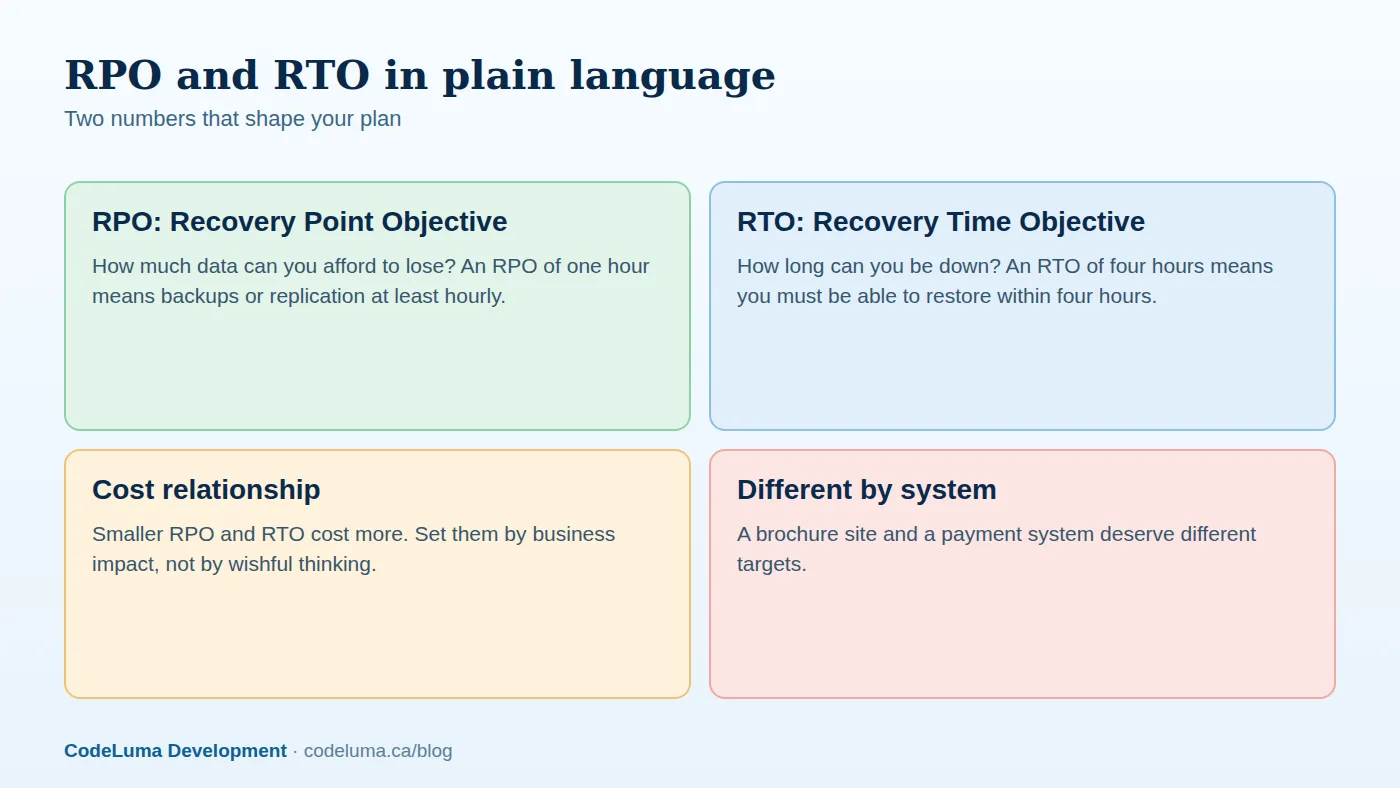
Two numbers drive design. The recovery point objective (RPO) is how much data loss you can tolerate, measured in time: if the RPO is one hour, you need to be able to restore to a state no more than an hour old. The recovery time objective (RTO) is how long you can be unavailable. Involve the business: what does an hour of downtime cost? What happens if yesterday's orders vanish? Different systems deserve different targets. A marketing website may tolerate a day; an order database may need minutes of RPO and an hour of RTO. Tighter objectives require more sophisticated and expensive solutions, such as continuous replication and standby environments, so set them deliberately.
Know what to back up
- Databases. Use consistent, point-in-time backups with transaction logs where supported, not just file copies of running database files.
- Uploaded files and media, in object storage or on disk.
- Application code and configuration, ideally in version control and infrastructure as code so environments can be rebuilt; see our IaC article.
- Secrets and keys, stored securely, because encrypted backups are useless without the keys; see our note on secrets.
- Third-party data: SaaS tools such as CRM, accounting, email and documents. Providers protect their platform, but not necessarily against your own deletion or account compromise; use export or backup services.
- Domain, DNS and certificates, including registrar credentials and records; see our DNS and SSL article.
- Documentation and runbooks themselves, stored where they are accessible during an outage.
Automate everything
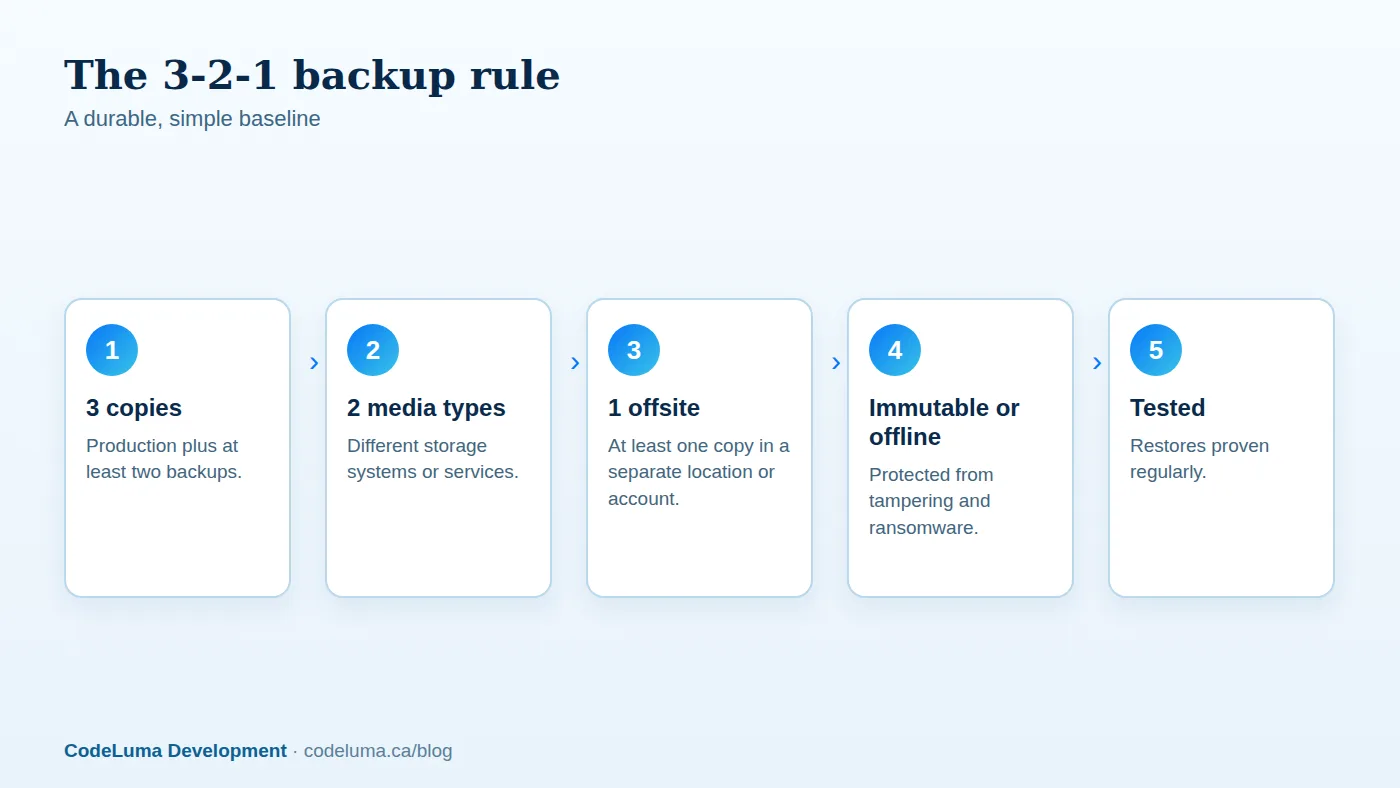
Manual backups are forgotten. Schedule automated backups at frequencies matching your RPO, with retention policies that keep, for instance, daily copies for a month, weekly for several months and monthly for a year or longer if regulations require. Encrypt backups in transit and at rest. Monitor the backup jobs: alert on failures, missing runs and backups that suddenly shrink or balloon in size, which can indicate a problem. Log everything and keep evidence for audits.
Defend against ransomware and compromise
Modern attackers try to destroy backups first. Protect them:
- Keep at least one copy immutable, using write-once storage features, or offline and disconnected.
- Store backups in a separate account or environment with different credentials, so a compromise of production does not grant access to backups.
- Use multi-factor authentication and least privilege for backup systems.
- Do not mount backup storage permanently as a writable drive on production servers.
- Monitor for unusual deletion or modification of backups.
Test restores on a schedule
Put restore tests on the calendar. At least quarterly, restore a backup into a clean environment and verify: does the database open, are records complete, do files match, can the application start and work with the restored data? Time the process and compare it with your RTO. Automate what you can, with periodic verification jobs that restore and run integrity checks. Also test unusual scenarios: restoring a single table or file, restoring to a point in time, and rebuilding from nothing when the primary region is unavailable. Record what you learn and fix the gaps.
Write the disaster recovery plan
A DR plan is a document, usable by a stressed person at 3 a.m., that answers:
- Who is in charge, who makes decisions and how are people contacted if normal channels are down?
- What are the scenarios, such as data corruption, provider outage, ransomware, region failure and accidental deletion, and the response to each?
- What is the recovery sequence, which systems come first, and what dependencies exist?
- Step-by-step runbooks, including commands, locations of backups and credentials, and verification checks.
- Communication: who informs customers, staff, partners, insurers and regulators, with template messages.
- Decision criteria, such as when to fail over and when to fix in place.
- Vendor contacts and escalation paths.
Store the plan in more than one place, including offline, and review it after every significant system change and at least annually. Practise with tabletop exercises and occasional full failover tests.

Consider high availability separately
Backups and DR restore service after a failure; high availability aims to prevent noticeable failures through redundancy and automatic failover. They complement each other. Not every system needs high availability, but every system needs backups. We discuss architectures for continuous operation in our high-availability article.
Choose the right level of investment
Match spending to business impact. A useful approach is a tiered scheme: critical systems get replication, cross-region failover and frequent testing; important systems get frequent backups and tested restores; low-priority systems get simple daily backups. Weigh costs, such as storage, cross-region transfer and standby capacity, against the cost of downtime and data loss. Cyber insurance may require specific backup practices, and can help with recovery costs, but it does not replace preparation.
Legal, privacy and retention considerations
Backups contain the same personal information as production, and deletion requests, retention limits and data residency rules apply to them. Define how long backups are kept, how deleted data is handled in backups, and where they are stored. See our privacy overview. Also protect access: a backup is a copy of everything an attacker might want.
A short checklist
- RPO and RTO defined and agreed for each system.
- Automated, encrypted backups meeting the 3-2-1 rule with an immutable copy.
- Monitoring and alerts on backup jobs.
- Successful restore tests in the last quarter, with timings recorded.
- A written, accessible DR plan and contact list.
- Domain, DNS, secrets and SaaS data included.
If you are not sure whether your backups would save you, a restore drill will tell you quickly. Our managed hosting includes automated backups and restore testing, and our maintenance plans keep the process monitored and documented so you are never guessing.
Put this into practice with CodeLuma
CodeLuma sets up automated, encrypted, tested backups and written recovery plans for the sites and applications we host and maintain, and proves them with restore drills, so a bad day does not become the end of the business.
- Managed hosting - monitored, backed-up, Canadian-friendly hosting.
- Maintenance and support plans - updates, monitoring and ongoing improvement.
- Custom software development - tailored systems, integrations and internal tools.
Start a conversation. Tell us about your project and we will reply with practical next steps, or browse all CodeLuma services. CodeLuma Development Inc. is a Canadian company that works with teams in Windsor, Essex, London, Toronto, Mississauga and across Ontario, throughout Canada and remotely.