Many stores pour effort into getting the order and then go quiet. Yet the period between payment and delivery is when customers feel the most uncertainty: Did the order go through? When will it arrive? What if something is wrong? Transactional messages have some of the highest open rates of any email a business sends, because customers actively want them. Handled well, the post-purchase experience reduces support contacts, builds trust and sets up the next sale. This guide shows how to design it and automate it reliably.
Why it matters commercially
- Fewer support requests. "Where is my order?" is often the largest category of customer contact. Proactive tracking and status updates remove most of it.
- Higher repeat rates. A smooth delivery and easy help make customers likelier to return.
- Fewer chargebacks and disputes. Clear communication and easy returns lower the chance that a dissatisfied customer calls their bank.
- Word of mouth. Reviews, referrals and social posts follow good experiences.

The order confirmation
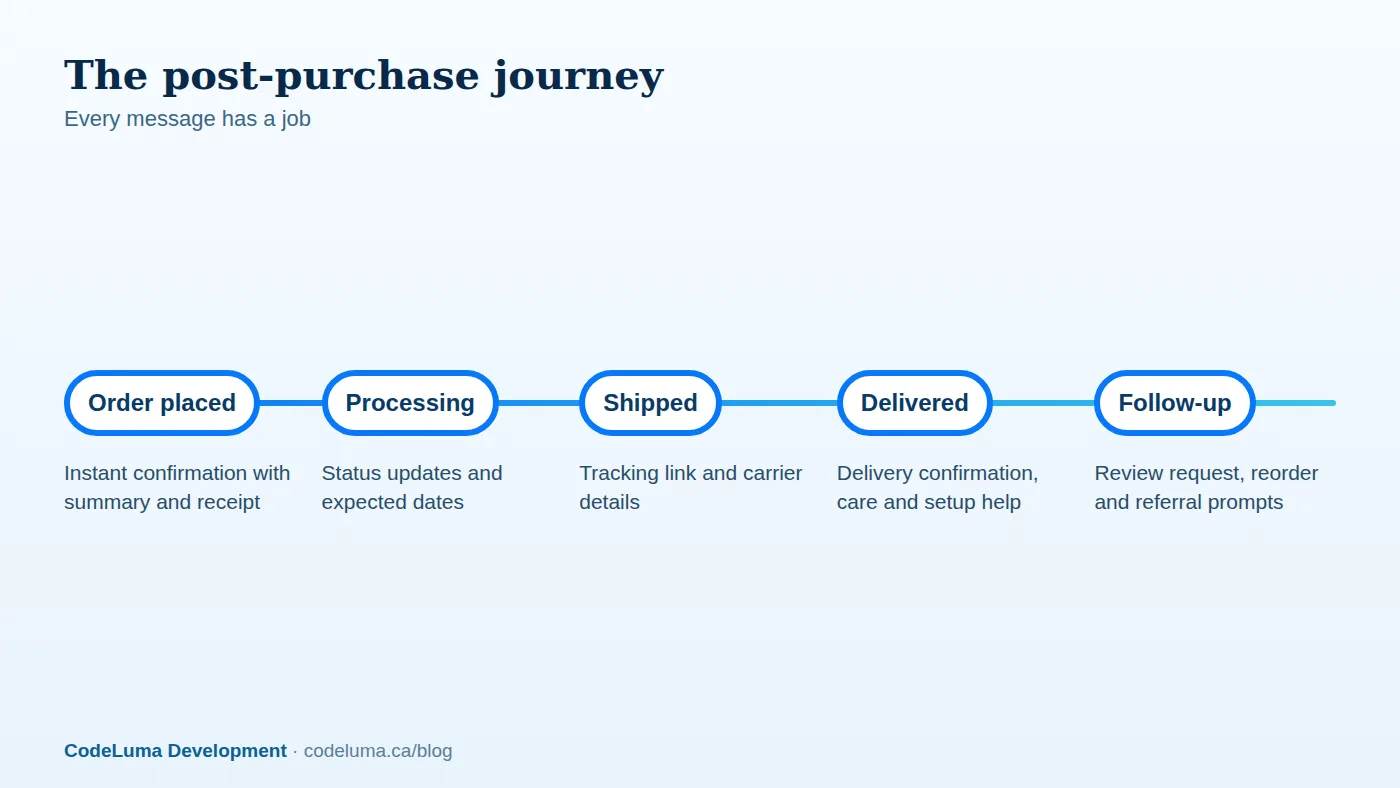
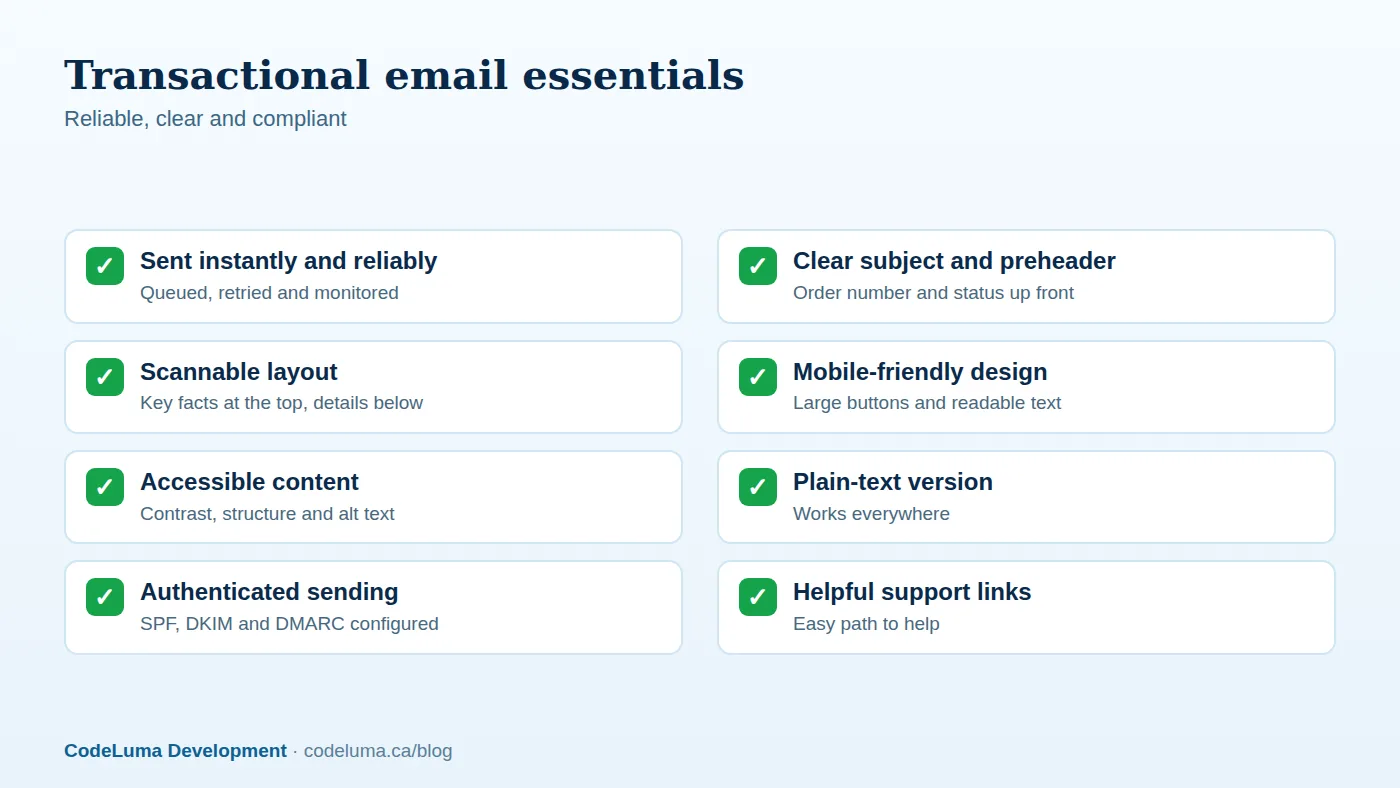
The confirmation email should arrive within seconds and answer immediate questions. Include the order number, items with images, prices, taxes, shipping, discounts and total, the shipping address and method, an expected delivery window, payment method summary, and clear paths to view the order, contact support and see the returns policy. Keep the design simple and scannable; the key facts should be visible without scrolling on a phone. Also offer an on-screen confirmation page with the same information, and a downloadable receipt or invoice.
Invoices and receipts done right
Invoices are legal and accounting documents as well as customer service. They should include your legal business name and address, tax registration numbers where required, an invoice number, dates, itemised lines, tax breakdown by type and rate, currency, payment terms and status, and the customer's billing details. Generate them automatically as PDF and HTML, store them permanently, and make them accessible in the customer's account and by email. B2B customers often need purchase order numbers and specific formats; see our B2B portal guide. Sequential numbering, reproducibility and correct handling of refunds and credit notes are essential for accounting. Tax content should come from the calculation used at checkout, as described in our tax article. For high volumes, consider a robust reporting and PDF generation engine.
Processing and shipping updates
Tell customers what is happening. A status such as "we are preparing your order" with a realistic expected dispatch date sets expectations. When the parcel ships, send the tracking number, carrier name and a link to a branded tracking page. Integrate with carrier APIs or a tracking aggregator to receive status events via webhooks, so updates such as out for delivery, delayed or delivered flow automatically into your system and to the customer. Pair this with the reliable event patterns described in our integration guide.
Own the tracking experience
A branded tracking page inside your site keeps customers in your ecosystem instead of sending them to a carrier site. Show a timeline, map or progress bar, the estimated delivery date, order contents and helpful actions such as changing the delivery instructions where the carrier allows. Add contextual recommendations carefully, and never let promotions overshadow the information customers came for. Provide proactive notifications for exceptions like delays, failed delivery attempts and address problems, with a clear next step.
Delivery and after-care
When the order arrives, confirm delivery and offer useful content: setup guides, care instructions, videos, warranty registration and how to get help. For products that need assembly or first-use guidance, a short, well-timed message prevents returns caused by confusion. Ask a simple question, such as whether everything arrived as expected, with a one-click way to report a problem, so issues reach support before they become bad reviews.
Make returns and exchanges easy
Painless returns increase purchase confidence. Provide a self-service returns portal: the customer selects items and reasons, receives a label or drop-off instructions, and can track the refund. Automate refunds when the carrier scans the return, or when the warehouse receives it, and show progress. Offer exchanges and store credit as alternatives, capture return reasons to improve products and descriptions, and integrate with inventory so returned items go back on sale quickly. Communicate clearly about timelines and fees.
Ask for reviews and referrals at the right time
Timing matters. Send review requests after the customer has had time to use the product, adjusted by product type, and make leaving a review one or two taps from the email. Do not gate reviews by sentiment, which breaches platform and consumer protection rules. Follow with a referral or reorder prompt after a positive experience; our guide to loyalty and referral programs explains the mechanics. Suppress requests when there is an open support issue or a return.
Engineering for reliable messaging
- Use a dedicated transactional email service with good deliverability, and authenticate your domain with SPF, DKIM and DMARC so messages reach inboxes.
- Queue and retry sends, and handle bounces and complaints automatically.
- Separate transactional and marketing traffic so promotional issues do not affect critical messages.
- Template and localise messages with a proper system, supporting multiple languages and currencies. See our international commerce article.
- Preview and test emails across clients and devices, including dark mode, and keep plain-text versions.
- Monitor delivery rates, delays and failures with alerts. See our notifications guide for architecture patterns.
Respect privacy and consent
Transactional messages, which are necessary to complete or inform about a purchase, differ legally from marketing. Keep promotional content minimal in transactional emails, and obtain proper consent for marketing communications under applicable laws such as CASL in Canada. Provide easy preference management and honour opt-outs promptly.
Measure the experience
- "Where is my order?" contact rate and support tickets per hundred orders.
- On-time delivery rate and delivery exceptions.
- Return rate and reasons, and refund processing time.
- Email delivery and engagement, especially tracking-page visits.
- Review rate, average rating and referral rate.
- Repeat purchase rate within ninety days.
Small improvements here compound quickly. If your post-purchase flow relies on manual steps, our software team can automate tracking, invoicing and messaging, and connect them to your store and accounting so customers feel looked after from the first click to the doorstep.
Put this into practice with CodeLuma
CodeLuma builds post-purchase automation, from branded transactional email and live tracking to invoices, returns and review requests, integrated with your store, shipping and accounting systems.
- Custom software development - tailored systems, integrations and internal tools.
- Website and web application development - fast, accessible, search-friendly builds.
- Social media management - content systems tied to business goals.
Start a conversation. Tell us about your project and we will reply with practical next steps, or browse all CodeLuma services. CodeLuma Development Inc. is based in Nova Scotia and works with teams across Canada and remotely.