Behind many online stores sits an invisible layer of manual work: someone exporting orders to a spreadsheet, retyping them into the accounting system, updating stock counts by hand, and copying customer details into the CRM. It is slow, error-prone and does not scale. Integrating your store with your ERP, accounting, warehouse, shipping and CRM systems removes that work and makes your data consistent. The tools are webhooks, APIs and message queues, and the discipline is designing them so that they keep working when things go wrong. This guide shows how.
The building blocks
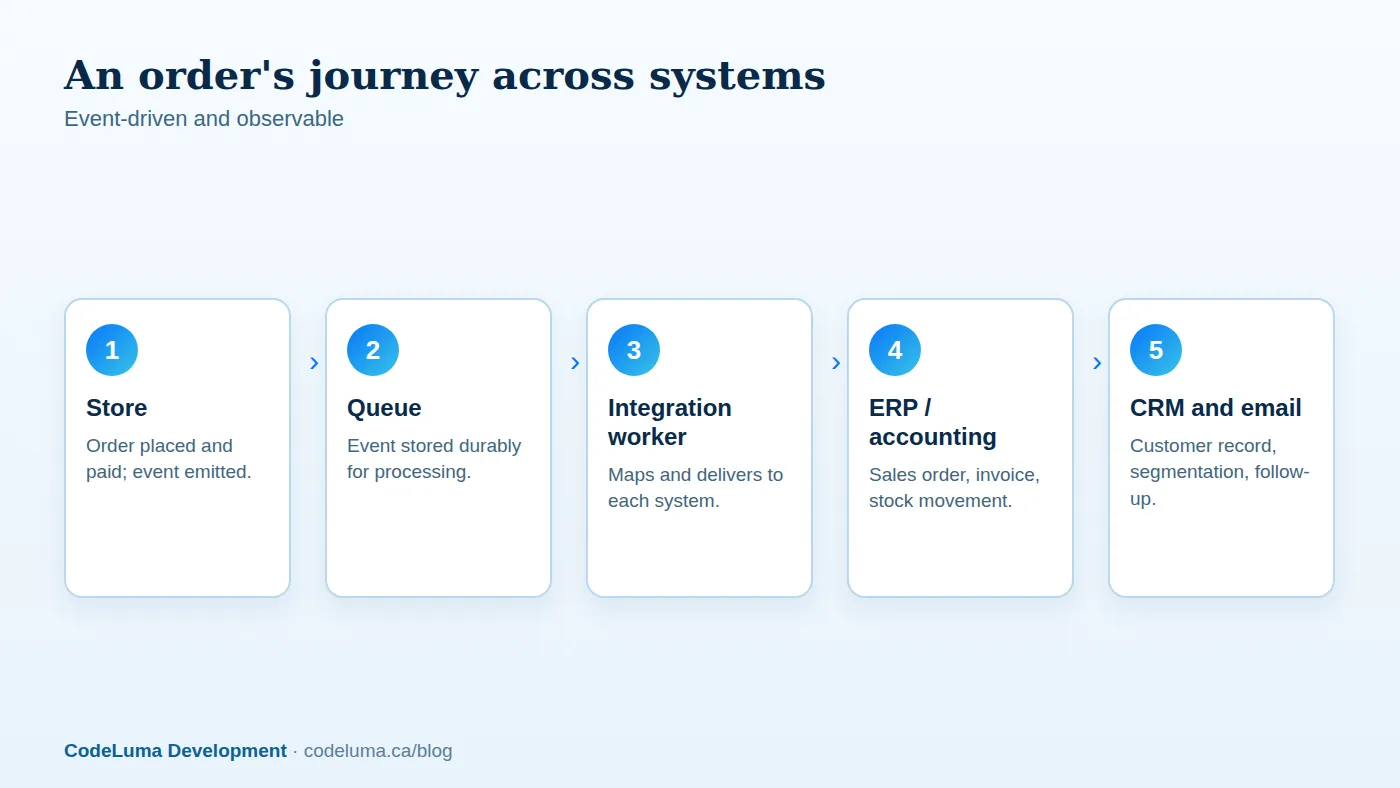
APIs let one system ask another for data or instruct it to do something: fetch products, create an order, update inventory. Webhooks flip the direction: a system notifies you when something happens, such as "order paid," "customer created" or "shipment dispatched," by sending an HTTP request to a URL you provide. Message queues sit in between, storing events durably so they can be processed reliably, at a steady pace, even if a downstream system is slow or offline.
Combined, these give an event-driven architecture: the store emits events; an integration layer picks them up, transforms them and calls the other systems; results and errors are recorded. Compared with tightly coupled point-to-point scripts, it is far easier to monitor, extend and repair.

Decide what flows where
Start with a data map. For each entity, decide which system owns it and in which direction data moves:
- Orders: from the store to the ERP or order management system, then status and tracking back to the store.
- Inventory: from the ERP or warehouse system to the store, with reservations and sales flowing back. See our inventory article.
- Customers: created at checkout, synced to CRM, enriched with segmentation and support history.
- Products and prices: often mastered in the ERP or a product information system and published to the store.
- Invoices and payments: to accounting, with payouts reconciled against orders.
- Shipping: rates and labels from carriers, tracking events back to the customer.
Avoid two systems being allowed to edit the same field without a rule. Conflicts multiply, and it becomes impossible to know which value is right.
Design good events
Events should describe facts that happened, in the past tense: order.paid, refund.issued, shipment.dispatched. Include a unique event ID, a timestamp, the entity's ID and enough data to be useful, or a link to fetch the latest state. Version your event schemas so consumers do not break when fields change. Prefer sending a small event and fetching current details over sending huge payloads that go stale. Document each event, its payload and when it fires; a shared catalogue prevents confusion.
Receive webhooks safely
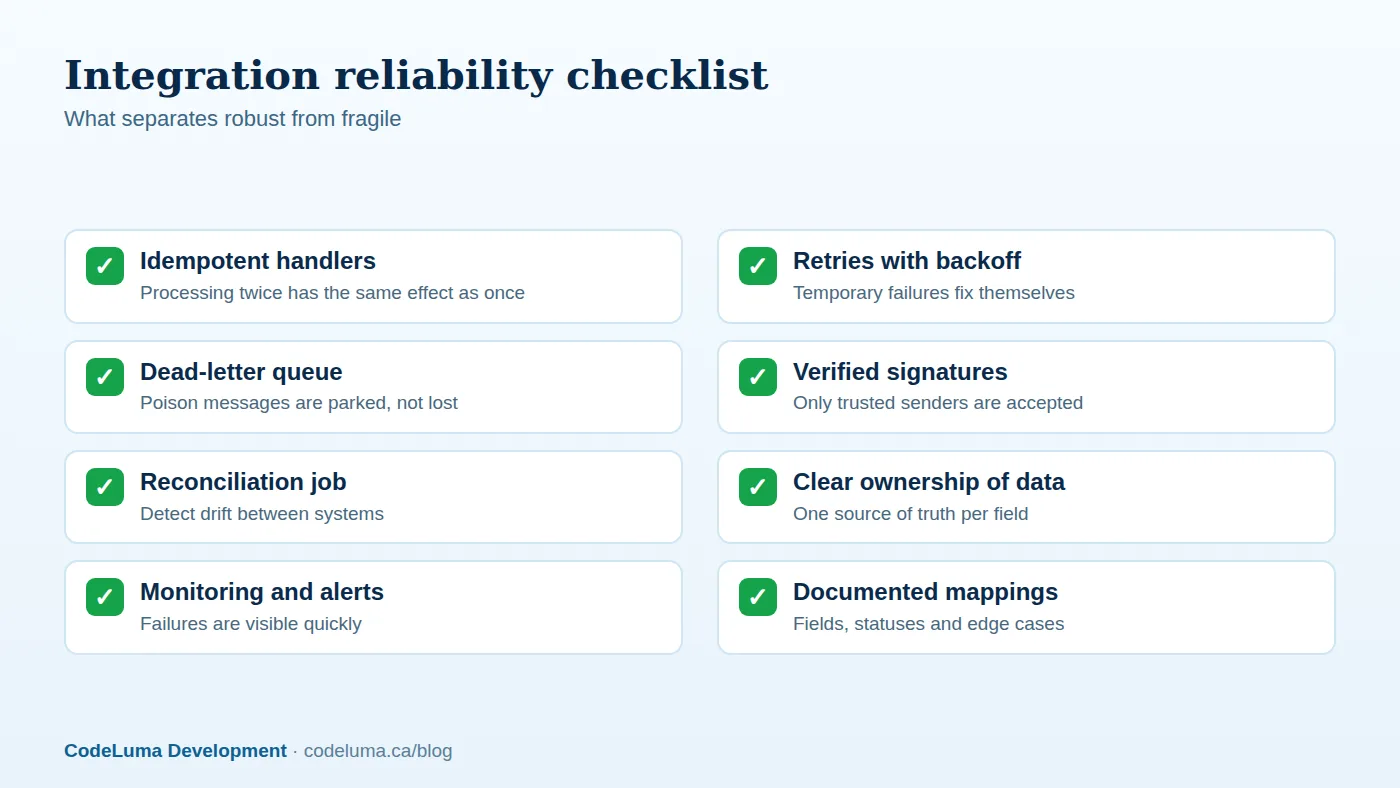
- Verify the signature. Providers sign requests; check the signature and timestamp to reject forgeries and replays.
- Acknowledge quickly. Return a success response as soon as the event is stored, then process asynchronously. Slow handlers cause timeouts and retries.
- Be idempotent. Providers may deliver the same event more than once, and out of order. Record processed event IDs and design handlers so that repetition is harmless.
- Handle ordering. Use timestamps or version numbers, or re-fetch current state, when sequence matters.
- Protect the endpoint with HTTPS, rate limits and IP allow-listing where supported.
Send data reliably
When your integration calls other systems, expect failures: timeouts, rate limits, downtime, validation errors. Build resilience:
- Use a queue so work is persisted before you attempt it.
- Retry with exponential backoff and jitter, and respect rate-limit headers.
- Use idempotency keys on create operations so retries do not create duplicates.
- Distinguish temporary from permanent errors. Retry the former; park the latter for human review.
- Use a dead-letter queue for messages that fail repeatedly, with alerts and a way to replay them after a fix.
- Apply circuit breakers so a struggling downstream system is not hammered further. Our article on handling third-party outages explores this.
Map and transform data carefully
Systems rarely agree on formats. Statuses, tax handling, units of measure, address structures, product identifiers and customer matching all need explicit mapping. Write and test the mapping rules, including edge cases: guest customers, partial refunds, split shipments, gift cards, discounts and bundles. Decide how to match customers across systems, using email, external IDs or a golden record, and how to handle duplicates. Keep mapping tables in configuration where feasible, so non-developers can adjust them.

Reconcile and observe
Even good integrations drift. Run scheduled reconciliation that compares counts and totals between systems, such as orders yesterday in the store versus the ERP, and flags differences. Build a dashboard showing queue depth, processing latency, error rates, and the age of the oldest unprocessed event. Alert when failures accumulate, and give support staff a simple tool to see the status of a given order across systems and to retry it. Observability turns a mysterious "the order never arrived" into a two-minute investigation.
Security and privacy
Integrations move sensitive data. Use least-privilege credentials for each connection, store secrets in a vault, rotate keys, and log access. Send only the fields each system needs. Respect data-protection rules when syncing personal information into marketing and analytics tools, including consent status. See our privacy overview.
Use off-the-shelf connectors, or build?
Pre-built connectors and integration platforms are a good choice for standard flows between popular products, and can be up and running quickly. They struggle with unusual rules, high volume, or systems without good connectors, and their per-task pricing can grow. Custom integration code, using a queue and a small set of well-tested workers, offers control, lower marginal cost and better monitoring. We compare the options in our automation guide. A pragmatic path is to start with connectors for simple needs and build custom services where they fall short.
Roll out safely
Integrate in stages: read-only sync first to compare data, then write flows for a small set of orders, then full automation. Run in parallel with the manual process for a period and reconcile. Keep documentation and runbooks, and plan for changes such as API version upgrades. If you are ready to eliminate re-keying, our software team can design the integration layer around your systems and keep it healthy under a maintenance plan.
Put this into practice with CodeLuma
CodeLuma builds reliable store-to-ERP and CRM integrations with queues, retries and monitoring, so orders, customers and inventory flow automatically and nothing gets lost or double-entered.
- Custom software development - tailored systems, integrations and internal tools.
- Website and web application development - fast, accessible, search-friendly builds.
- Maintenance and support plans - updates, monitoring and ongoing improvement.
Start a conversation. Tell us about your project and we will reply with practical next steps, or browse all CodeLuma services. CodeLuma Development Inc. is a Canadian company that works with teams in Windsor, Essex, London, Toronto, Mississauga and across Ontario, throughout Canada and remotely.