A store migration is a chance to fix performance, unlock features and cut platform costs. It is also one of the riskiest moments for your organic traffic. Sites regularly lose a chunk of their search visibility after replatforming because URLs changed without redirects, titles and content were altered, structured data vanished or a staging robots rule reached production. Almost all of that damage is preventable. This guide describes a methodical process for migrating an online store to a custom platform while protecting the rankings you have earned.
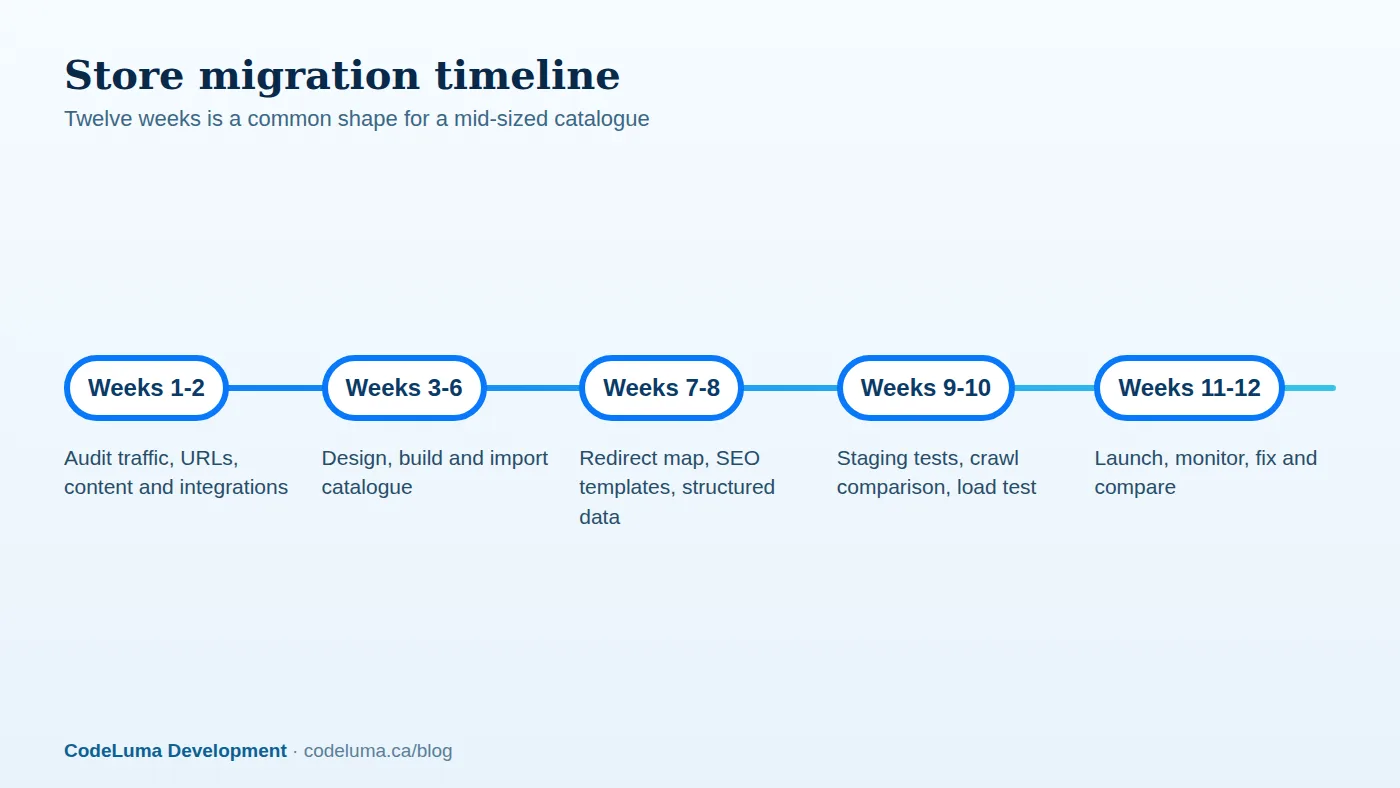
Decide why and whether to migrate
Every migration has risk, so be clear about the payoff: a custom platform may let you implement pricing and checkout rules the old platform cannot, improve speed, integrate deeply with your ERP or reduce fees. Our comparison of hosted and custom headless commerce will help you decide. If the benefits are modest, a targeted optimisation of your existing store may be the better investment.

Phase one: audit and baseline
Before touching anything, document what you have:
- Crawl the current site to list every URL, status code, title, description, heading, canonical, structured data, internal link and image.
- Pull performance data from Search Console and analytics: which pages earn organic traffic, impressions and revenue, and which queries they rank for.
- Identify link equity: pages with strong backlinks that must be preserved.
- List integrations: payments, shipping, tax, email, reviews, feeds to marketplaces and comparison sites.
- Record baseline metrics for rankings, traffic, conversion, speed and revenue, so you can measure the effect afterwards.
Phase two: keep URLs stable wherever possible
The single most effective protection is not changing URLs. If your product, category and content URLs can be reproduced on the new platform, do so exactly, including trailing slash conventions and casing. Where change is unavoidable, create a complete map from each old URL to its most relevant new URL. Redirect one-to-one, using permanent 301 redirects, and avoid sending everything to the home page or to a generic category, which search engines treat as soft 404s. Avoid redirect chains, and keep redirects in place for at least a year, ideally indefinitely for pages with backlinks.
Phase three: preserve on-page and technical SEO
Carry across, or deliberately improve:
- Titles, meta descriptions and headings. Changing them at launch makes it hard to know what caused ranking changes.
- Body content, product descriptions, reviews and FAQs, including the text, not only images.
- Canonical tags, pagination and faceted navigation rules, following the approach in our technical SEO checklist.
- Structured data for products, offers, reviews, breadcrumbs and organisation, ensuring prices and availability are accurate.
- Image URLs, file names and alt text, since image search can matter for retail.
- Internal linking structure and navigation.
- Hreflang if you serve multiple languages or regions.
- 404 and 410 handling for genuinely removed products, with helpful alternatives.
Phase four: performance and rendering
A good migration should improve Core Web Vitals, not degrade them. Choose a rendering approach that delivers complete HTML for product and category pages, as we discuss in SSR and static generation. Compress images, use a CDN and test real-user performance. Slow, JavaScript-heavy replacements are a common cause of post-migration drops.
Phase five: data migration
Move products, variants, prices, inventory, customers, order history, discounts and content. Clean data first; a migration is the best time to fix duplicates and inconsistencies. Rehearse imports repeatedly on staging, verify counts and sample records, and plan a final delta migration at launch to catch orders and changes made during the cutover. Decide how customer passwords and accounts will transfer; you cannot move plain-text passwords, so plan for secure re-authentication or a reset email campaign, communicated clearly.
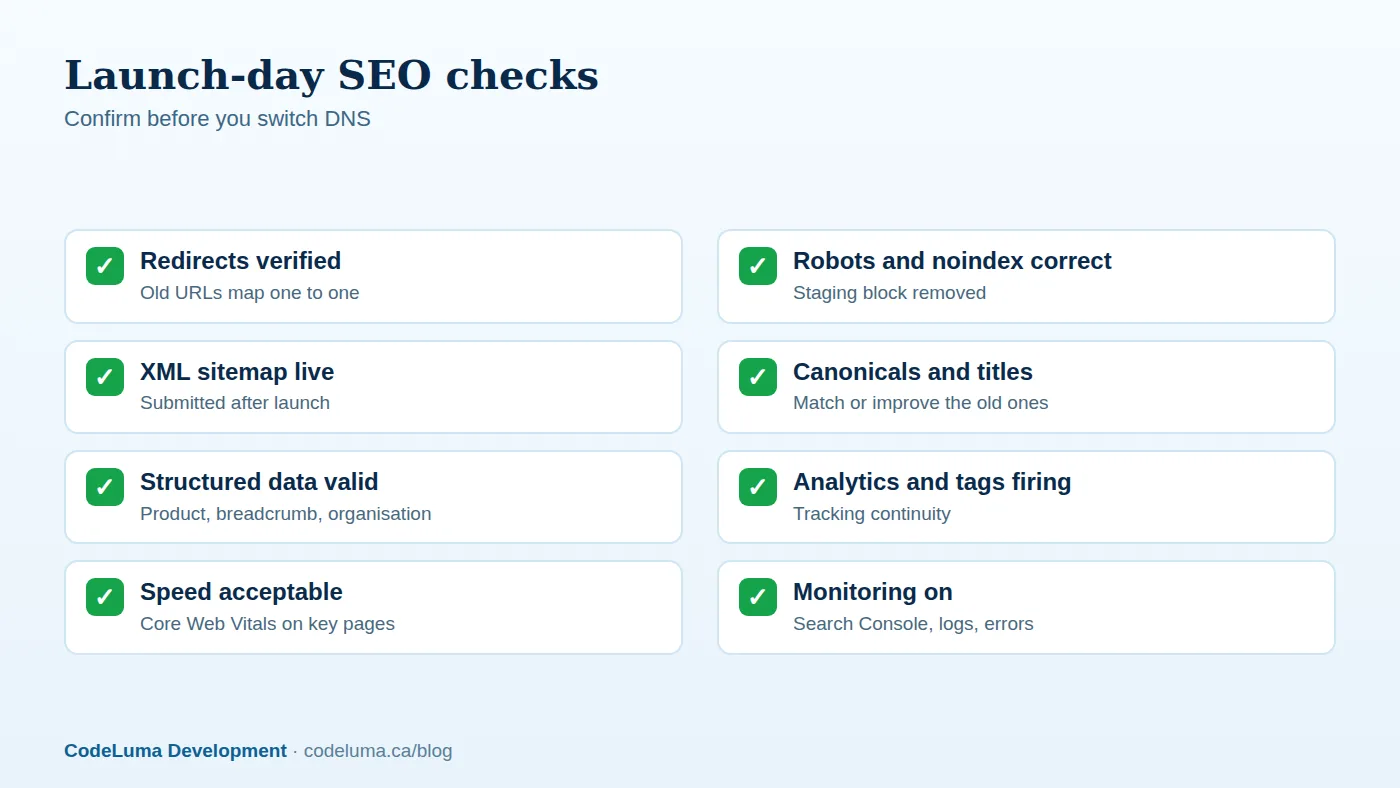
Phase six: test thoroughly on staging
Keep staging out of search indexes, using authentication rather than relying only on a noindex tag, and remember to lift the protection at launch. Crawl staging and compare it with the baseline: every important URL should exist or redirect correctly, titles and canonicals should match, structured data should validate, and no unexpected noindex or blocked resources should appear. Test the full purchase journey with every payment method, tax and shipping scenario, emails and order status updates. Load test the checkout. Involve customer support so that they can prepare.

Phase seven: launch smartly
- Launch during a lower-traffic period, with the team available.
- Freeze content and catalogue changes during the final cutover window.
- Reduce DNS TTLs in advance to speed the switch, and keep the old platform available as a fallback for a period.
- Immediately verify redirects, robots, sitemaps, analytics and key pages.
- Submit the new sitemap in Search Console and Bing Webmaster Tools.
- Monitor orders, errors and checkout performance in real time.
Phase eight: monitor closely afterwards
For the first weeks, review Search Console coverage and crawl errors daily, watch rankings and organic traffic for key pages, check server logs for 404s and fix missing redirects promptly, and compare conversion and revenue with the baseline. Expect some fluctuation as search engines reprocess the site, but a sustained large decline is a signal to investigate immediately. Keep a change log, and fix issues in priority order by traffic and revenue.
Common causes of migration losses
- Changed URLs with missing or incorrect redirects.
- Staging or "noindex" rules left in place at launch.
- Product descriptions replaced by thinner content.
- Lost structured data and reviews.
- Client-side rendering that hides content from crawlers.
- Slower pages and worse Core Web Vitals.
- Broken internal links and navigation changes that bury key pages.
Bring in experience
Migrations combine SEO, engineering, data and operations, and the cost of a mistake is measured in lost revenue. A team that has done this before will build the redirect map, rehearse the cutover, and know what to watch after launch. If you are considering a move, our web team can start with an audit that shows exactly what is at stake and how to protect it.
Put this into practice with CodeLuma
CodeLuma plans store migrations around your search traffic first: full URL mapping, one-to-one redirects, preserved metadata and structured data, and close monitoring after launch, so you gain a better platform without giving up rankings.
- Website and web application development - fast, accessible, search-friendly builds.
- Custom software development - tailored systems, integrations and internal tools.
- Managed hosting - monitored, backed-up, Canadian-friendly hosting.
Start a conversation. Tell us about your project and we will reply with practical next steps, or browse all CodeLuma services. CodeLuma Development Inc. is a Canadian company that works with teams in Windsor, Essex, London, Toronto, Mississauga and across Ontario, throughout Canada and remotely.