When shoppers know what they want, search is the fastest path to purchase. Studies of e-commerce behaviour regularly find that visitors who use on-site search convert at noticeably higher rates than those who only browse, and that a poor search experience is a common reason for leaving. Yet many stores rely on a default search that matches keywords crudely, chokes on typos and cannot filter by the attributes people actually care about. This guide shows how to build search and filtering that helps customers find products, and how to keep it working well over time.
Understand what shoppers try to do
Look at your own data first. Analyse your internal search queries: the most frequent, the ones that return zero results, the ones followed by an immediate exit, and those that lead to purchases. Categorise them: exact product names and SKUs, generic categories, attribute queries such as "waterproof jacket size medium," problem statements such as "gift for a new dad," and brand queries. Each type needs a different approach, and this analysis will tell you where the biggest gaps lie.
Choose the right search technology
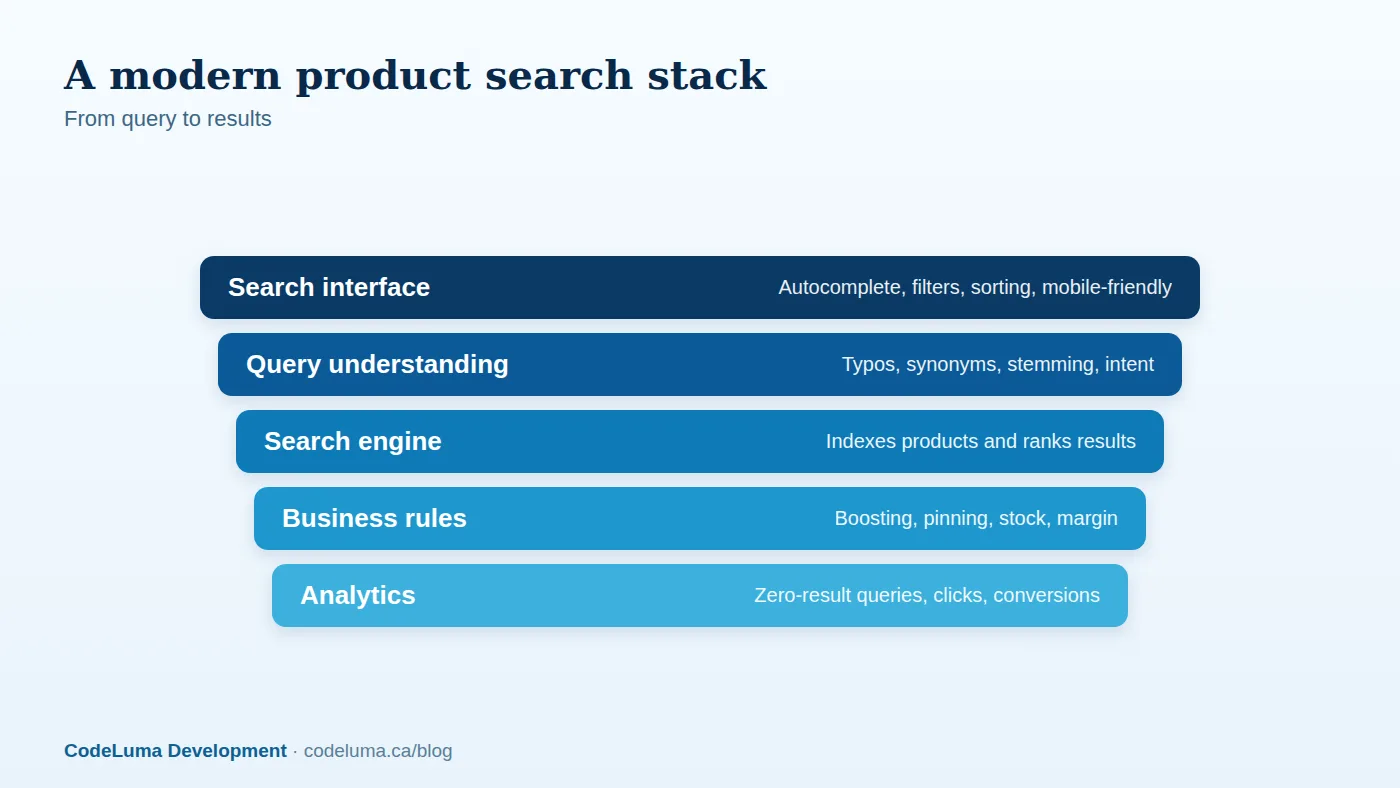
Basic database queries with LIKE or built-in platform search handle small catalogues, but they lack ranking, typo tolerance and speed at scale. Options include dedicated search engines you host, and hosted search services that provide relevance features and instant results out of the box. Consider catalogue size, update frequency, the need for facets and personalisation, budget, and who will maintain it. Whichever you choose, keep the index in sync with the catalogue and inventory, using events or frequent incremental updates, so shoppers never see stale prices or discontinued items. The reliability patterns in our inventory guide apply here too.
Make relevance work for people
- Typo tolerance. Shoppers misspell brand names and technical terms constantly. Fuzzy matching should rescue "adiddas" and "wirless."
- Synonyms and vocabulary. Map "sofa," "couch" and "settee"; "hoodie" and "hooded sweatshirt." Use query logs to find the terms customers use that your catalogue does not.
- Stemming and plurals. "Boot" should match "boots."
- Field weighting. Product title and brand usually deserve more weight than long descriptions; SKUs and model numbers need exact matching.
- Unit and attribute understanding. Interpret "16gb," "16 GB" and "16-gigabyte" the same way.
- Business signals. Blend relevance with popularity, stock availability, margin, ratings and recency, under your control. Push out-of-stock items down, and consider pinning campaign products.
- Handle no-results gracefully. Suggest corrections, broader terms, popular products and category links, and log every zero-result query for review.
Autocomplete and suggestions
Instant suggestions reduce typing, especially on mobile, and guide shoppers to productive queries. Include popular queries, categories, brands and even product thumbnails with prices. Keep them fast, ideally responding within a couple of hundred milliseconds, and accessible for keyboard and screen reader users. Track which suggestions are used and which lead to purchases.
Design faceted filtering carefully
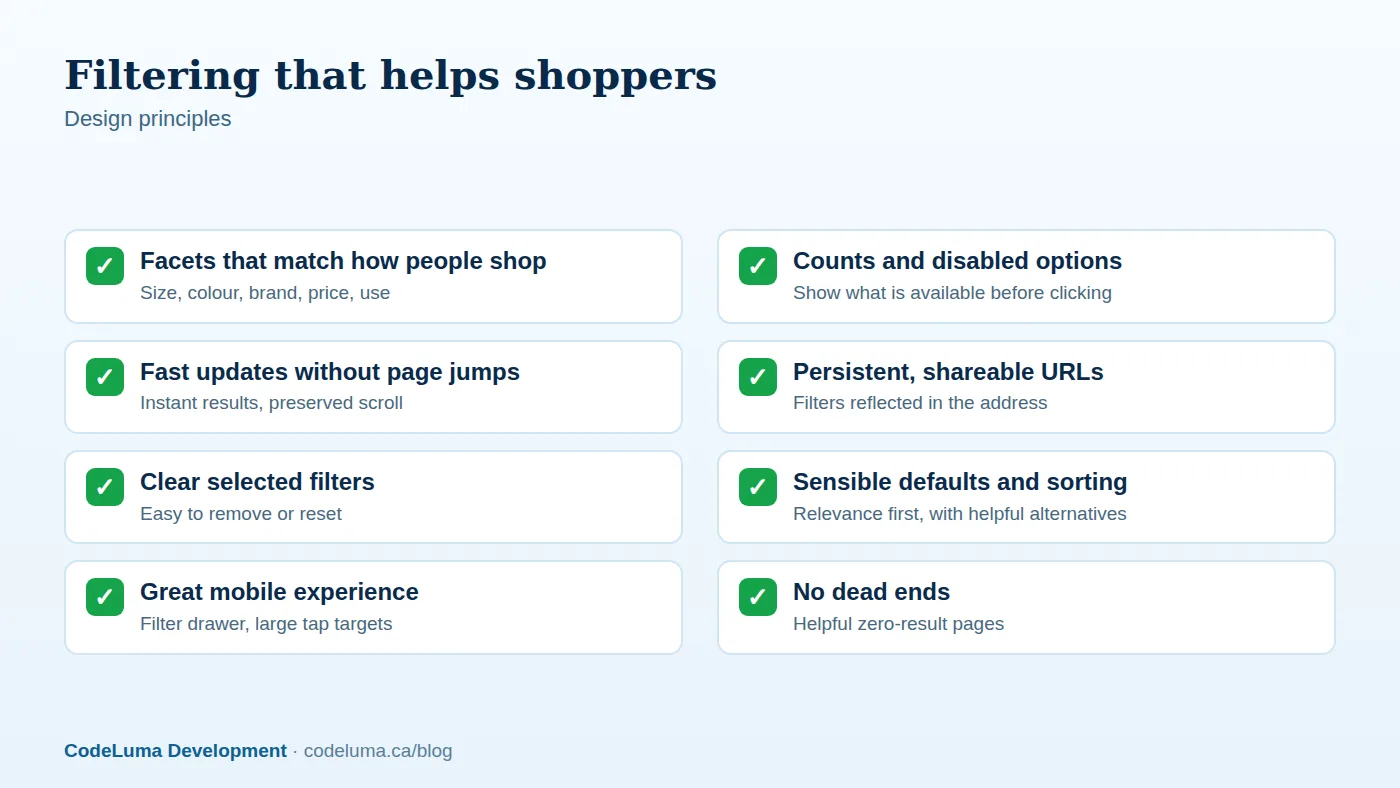
Filters, or facets, let shoppers narrow large result sets. The best facets mirror how people decide: price, brand, size, colour, material, rating, availability and category-specific attributes such as screen size for televisions or fit for jeans. This depends on clean, consistent product data, so invest in attribute governance: controlled values, standard units and completeness checks. Then apply interface principles:
- Show counts next to options, and disable or hide options that would return nothing.
- Update results instantly without losing the shopper's position.
- Reflect filters in the URL so results can be shared and the back button works.
- Make active filters visible and easy to remove.
- Put the most useful facets first and collapse the rest.
- Use a filter drawer on mobile with a clear "show results" action.
Sorting and merchandising
Default sorting should usually be relevance or a "recommended" blend, with clear options for price, rating, newest and best-selling. Merchandisers should be able to boost or bury products, run seasonal campaigns and create rules without developer help, with previews so they see the effect. Avoid hiding manipulations from shoppers in ways that mislead; sponsored placements should be labelled.

Keep filtered pages SEO-safe
Filters can generate a vast number of URLs, most of which are thin duplicates. Decide deliberately which combinations deserve to be indexed, such as "women's waterproof hiking boots" if people search for it, and give those clean URLs, unique titles and content. Block or canonicalise the rest, and prevent crawlers from wasting effort on endless combinations. Do not rely on JavaScript alone to produce filtered content that you want indexed. Our technical SEO checklist describes how to control faceted navigation.
Performance matters
Search that lags loses the shopper. Serve results from a fast engine, cache popular queries and facets, paginate or use "load more" sensibly, and keep the front end light. Avoid layout shifts as results load, and provide skeleton states. Measure the response time and Core Web Vitals of search and category pages, since they are among your highest-traffic templates. See our advice on Core Web Vitals.
Personalisation and recommendations
Once the basics work, personalisation can lift relevance: recently viewed items, preferred sizes and brands, location-aware availability and behaviour-based ranking. Implement with care for privacy and consent, and always test against a non-personalised baseline. Simple approaches, like "frequently bought together" and "customers also viewed," often deliver most of the value. For advanced approaches, see our article on AI-powered search and recommendations.
Measure and iterate
- Search usage rate and conversion rate for searchers versus non-searchers.
- Zero-result rate and top zero-result queries.
- Click-through position and refinement rate.
- Filter usage and drop-off after filtering.
- Revenue per search session.
Review these monthly, update synonyms and rules, and run A/B tests on ranking and interface changes. Search is never finished; it improves with attention. If you want a system tuned to your catalogue, our custom software team can build the search layer, the data pipeline that feeds it, and the analytics that keep it improving.
Put this into practice with CodeLuma
CodeLuma builds fast, relevant product search and faceted filtering with the right search engine for your catalogue size, tuned with real query data and designed to stay SEO-safe.
- Custom software development - tailored systems, integrations and internal tools.
- Website and web application development - fast, accessible, search-friendly builds.
- Maintenance and support plans - updates, monitoring and ongoing improvement.
Start a conversation. Tell us about your project and we will reply with practical next steps, or browse all CodeLuma services. CodeLuma Development Inc. is a Canadian company that works with teams in Windsor, Essex, London, Toronto, Mississauga and across Ontario, throughout Canada and remotely.