Many businesses run websites built on older stacks: a monolithic PHP application, a heavy page-builder theme, or a single-page app that renders everything in the browser. These sites often struggle with speed, search visibility and maintainability. Modern frameworks such as Next.js promise better performance, better SEO and a better developer experience. Those promises are real, but they are not automatic, and migrations can go wrong. This guide explains what actually improves, how to migrate safely and when to leave things alone.
What problem are you solving?
Start with the pain, not the tool. Common reasons for migrating include slow pages and poor Core Web Vitals, content that search engines cannot index well because it is rendered only in the browser, a codebase nobody wants to touch, difficulty hiring developers for the old stack, and limited ability to build modern experiences. If your site is fast, ranks well and is easy to maintain, a migration may add risk without reward.

How frameworks like Next.js help
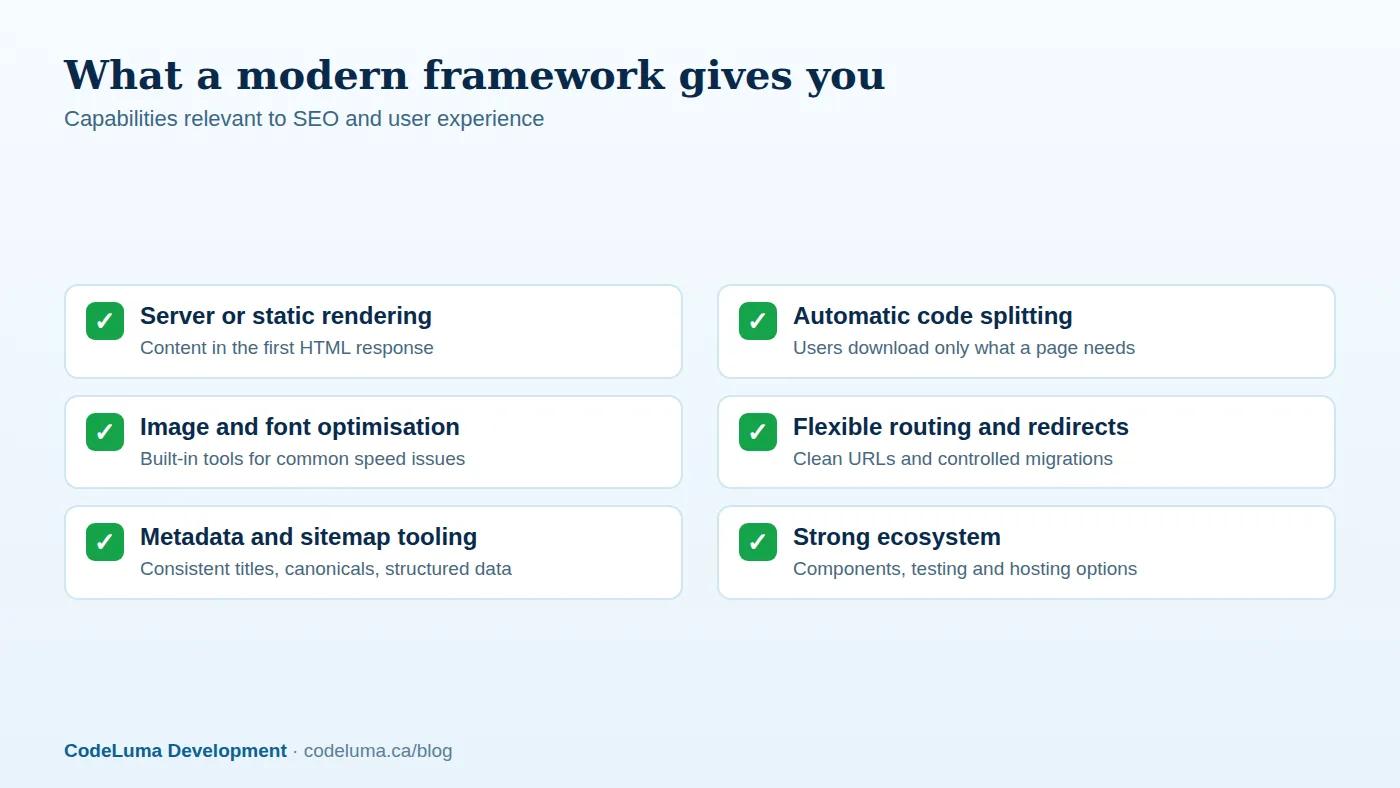
Rendering flexibility. You can pre-render pages at build time, regenerate them incrementally, render on the server per request, or render in the browser, and choose per page. That means the first HTML response can contain your content, helping both speed and indexing. See our comparison of SSR and static generation for how to choose.
Performance features. Automatic code splitting sends only the JavaScript a page needs. Built-in image optimisation, font handling and prefetching address common causes of poor Core Web Vitals.
SEO tooling. Straightforward control over titles, descriptions, canonical URLs, Open Graph tags, structured data, redirects, robots and sitemaps. Consistent implementation across templates reduces the errors that plague hand-built sites.
Developer experience. A component-based architecture, TypeScript support, testing tools and a large ecosystem make it easier to maintain and extend the site and to hire developers.
What does not improve automatically
- Bad content stays bad. A new framework will not fix thin pages or poor targeting.
- Heavy JavaScript is still heavy. You can build a slow site in any framework by shipping large bundles and third-party scripts.
- Slow backends remain slow. If pages wait on slow APIs or databases, rendering strategy alone will not save them.
- SEO gains are not guaranteed. Rankings depend on many factors; better technical foundations remove obstacles, they do not guarantee results.
Plan the migration to protect SEO
The biggest risk in any replatforming project is losing search visibility. Protect it with a methodical process:
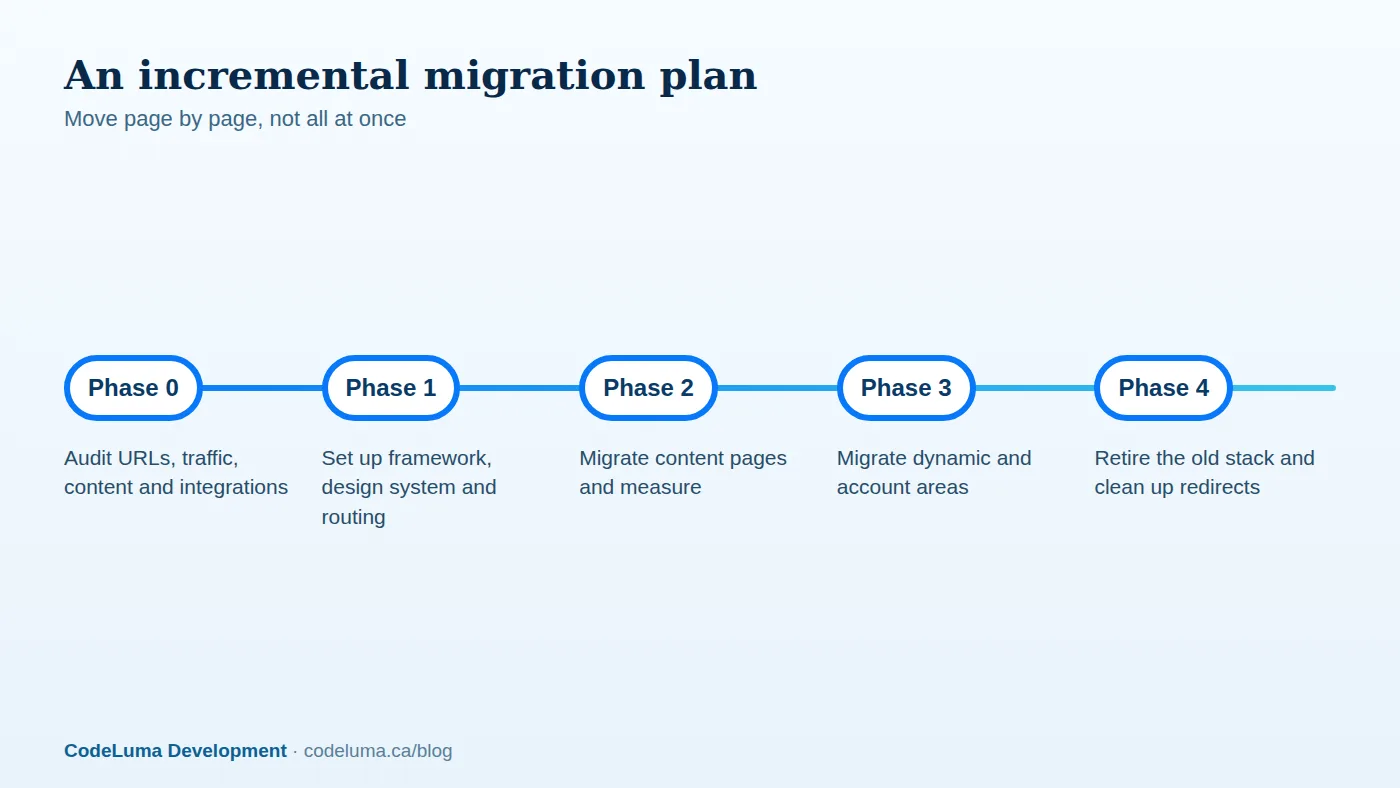
- Inventory everything. Crawl the current site, export URLs from analytics and Search Console, and record traffic, links and rankings for each important page.
- Preserve URLs wherever possible. When URLs must change, prepare one-to-one 301 redirects, and avoid redirect chains.
- Carry over on-page elements: titles, meta descriptions, headings, body content, image alt text, structured data, canonicals and internal links.
- Recreate technical files: robots.txt, XML sitemaps, hreflang and 404 handling.
- Test on staging with a crawler and compare it with the old site page by page. Block staging from indexing but make sure the block is removed at launch.
- Launch at a quiet time, monitor Search Console, server logs and analytics daily, and fix issues quickly.
Migrate incrementally when you can
A big-bang cutover is risky. Where possible, put a proxy or routing layer in front of the old site and move sections one at a time, starting with low-risk content pages, then the more complex areas. Each step can be measured for speed and search performance before you continue. This mirrors the strangler approach we describe in our rewrite versus refactor guide.

Handle the practical details
- Content source. Decide whether content stays in the existing CMS accessed through an API, moves to a headless CMS, or lives in files. See our note on headless architecture.
- Forms, search and integrations. Rebuild or reconnect contact forms, site search, analytics, payments and CRM links, and test each.
- Analytics and tracking. Keep tracking consistent so before-and-after comparisons are valid.
- Accessibility. Use the migration to fix accessibility issues, and avoid regressions in keyboard navigation and focus handling, especially in client-side routing.
- Hosting. Choose a platform that supports your rendering strategy, and set up caching and a CDN.
- Preview and editing workflow. Make sure editors can preview changes and publish confidently.
Common pitfalls
- Rendering key content only on the client, leaving crawlers and slow devices with empty pages.
- Forgetting canonical tags and creating duplicate versions of pages.
- Client-side routing that breaks the back button, analytics events or focus management.
- Blocking the whole site with a staging robots rule that survives launch.
- Underestimating content migration and redirects.
- Adding large third-party scripts that erase the performance gains.
Measuring success
Define success before you start: Core Web Vitals in the field, indexed pages, organic traffic and conversions for key templates, build and deploy times, and time to ship changes. Compare the numbers over several weeks after launch, allowing for normal fluctuation. Expect a period of adjustment as search engines reprocess the site.
When not to migrate
If a simple, well-optimised site on a mature CMS meets your needs, a migration may not be worth the cost. Sometimes a targeted performance and SEO clean-up delivers most of the benefit. An honest assessment of your current stack, your team and your goals should come before any technology decision, and a web development partner who does both migrations and optimisation can tell you which path makes sense.
Put this into practice with CodeLuma
CodeLuma plans and delivers framework migrations incrementally, keeping your URLs, content and search rankings intact while you gain a faster, easier-to-maintain front end.
- Website and web application development - fast, accessible, search-friendly builds.
- Custom software development - tailored systems, integrations and internal tools.
- Maintenance and support plans - updates, monitoring and ongoing improvement.
Start a conversation. Tell us about your project and we will reply with practical next steps, or browse all CodeLuma services. CodeLuma Development Inc. is a Canadian company that works with teams in Windsor, Essex, London, Toronto, Mississauga and across Ontario, throughout Canada and remotely.