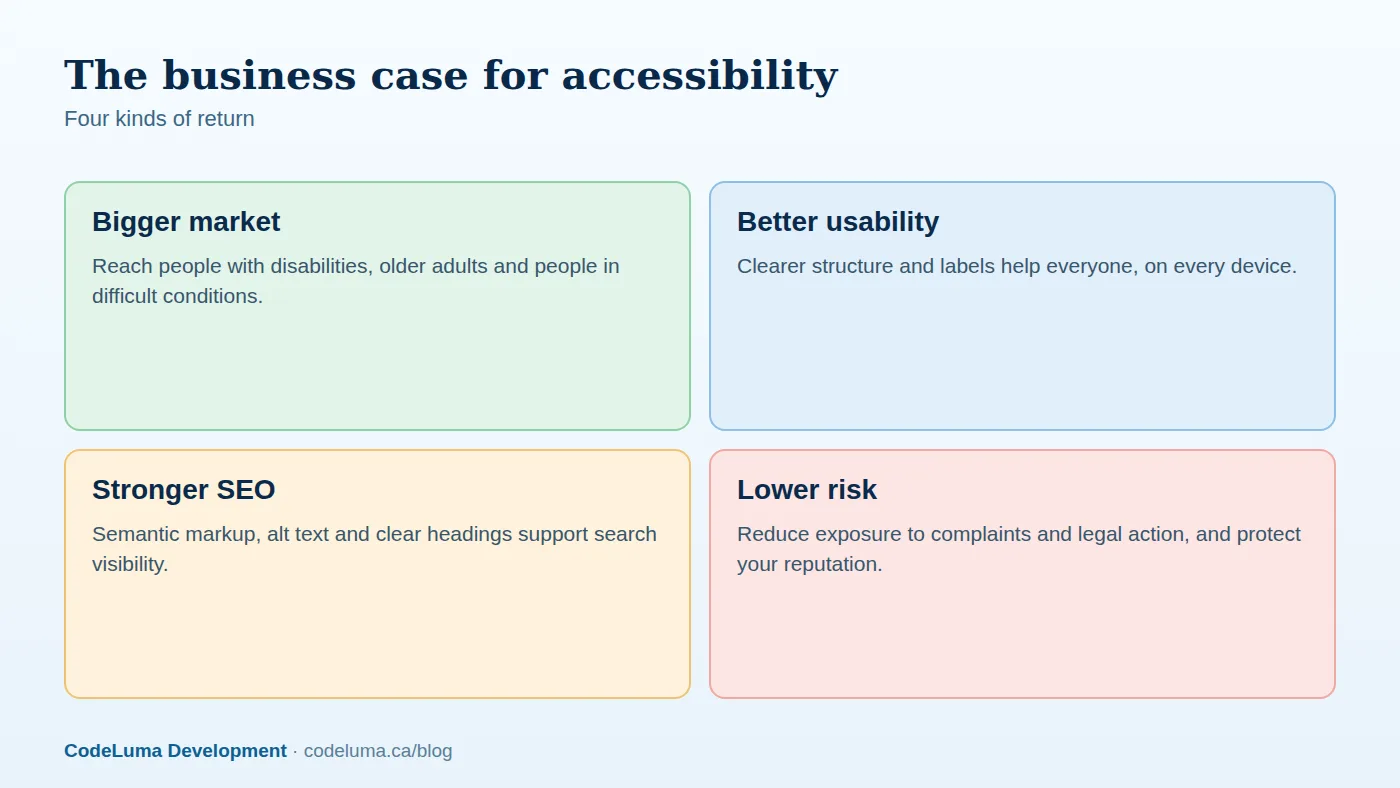
Roughly one in four adults lives with some form of disability, according to widely cited public health figures, and many more experience temporary or situational limitations: a broken wrist, bright sunlight, a noisy train, a slow connection. A website that assumes every visitor can see small grey text, use a mouse precisely, hear audio and read quickly excludes a large and valuable audience. Accessibility is often framed purely as a compliance burden. In practice it is also a growth, quality and risk-management strategy. This guide explains the returns and how to achieve them. It is general information, not legal advice.
What WCAG is
The Web Content Accessibility Guidelines (WCAG), published by the W3C, are the international standard for web accessibility. They are organised around four principles: content must be perceivable, operable, understandable and robust. Success criteria are graded at levels A, AA and AAA. Level AA of the current version, WCAG 2.2, is the target most laws and procurement policies reference, and it is a sensible goal for most organisations. Standards and laws differ by jurisdiction, and in Canada, requirements arise under federal and provincial legislation and human rights obligations, so check what applies to your sector and location.
Return one: a larger market
Accessible sites are usable by more people: those who use screen readers, magnification or voice control, people with limited dexterity or cognitive differences, older adults, and people on small screens or poor connections. Purchasing power in these groups is substantial, and customers remember businesses that treat them well. When a shopper can complete a purchase using only a keyboard, that is one more sale. When they cannot, you lose it, and you never see the abandoned session explain why.
Return two: better usability for everyone
Many accessibility practices are simply good usability: clear headings, descriptive links, generous tap targets, readable contrast, visible focus states, predictable navigation, helpful error messages and captions. Captions help people in noisy or silent environments; keyboard support helps power users; clear language helps everyone. Teams that build accessibly often see improvements in conversion and support volume because the experience is easier to use.
Return three: SEO synergy
Search engines and assistive technologies both depend on well-structured, semantic HTML. Meaningful headings, descriptive alt text, logical link text, transcripts and clear page titles help both. Accessible sites also tend to be faster and cleaner in code, which supports Core Web Vitals. Accessibility is not a ranking guarantee, but the overlap is significant, and we build the two together, as described in our technical SEO checklist.
Return four: reduced risk and stronger reputation
Accessibility complaints and legal actions have been increasing in many countries, and public-sector, education, finance and large retail organisations face particular scrutiny. Fixing issues after a complaint is more expensive and stressful than building correctly. Beyond legal risk, visible commitment to inclusion strengthens your brand and can matter in procurement, where accessibility conformance statements are increasingly requested.
What it costs, and when
Building accessibility in from the start typically adds a modest amount to design and development effort, and much less than retrofitting later. Remediation of an existing site depends on its size and how it was built; sites made from well-structured components are easier to fix than those with custom, inaccessible widgets. The cheapest approach is to include accessibility in your design system, code review and testing routines so that every new page is compliant by default.
Common barriers we find
- Low contrast text and text embedded in images.
- Missing or unhelpful alt text, and decorative images announced needlessly.
- Keyboard traps and missing focus indicators, especially in menus, modals and carousels.
- Forms without labels or with errors that are not announced or explained.
- Videos without captions and audio without transcripts.
- Custom components that ignore semantics: clickable divs instead of buttons.
- Time limits and auto-advancing content that users cannot pause.
- PDFs that are untagged and inaccessible.
How to build accessibility into your process
- Design: choose accessible colour palettes, define focus styles, plan headings and states, and design for text resizing.
- Development: use semantic HTML first, ARIA only where needed, and component libraries with strong accessibility track records.
- Content: write descriptive link text, plain language, meaningful alt text and captions.
- Testing: combine automated scanners, which catch a portion of issues, with manual keyboard testing and screen reader checks such as NVDA, VoiceOver and TalkBack. Involve users with disabilities where possible.
- Governance: publish an accessibility statement, provide a feedback channel, track and fix issues, and re-test after major releases.
Measuring the return
Track task completion rates, form abandonment, support tickets about usability, and feedback from users of assistive technology. Compare conversion on flows before and after remediation. Monitor conformance with periodic audits and automated checks in your build pipeline. Over time, accessibility becomes a quality indicator that improves the whole product.
A practical starting plan
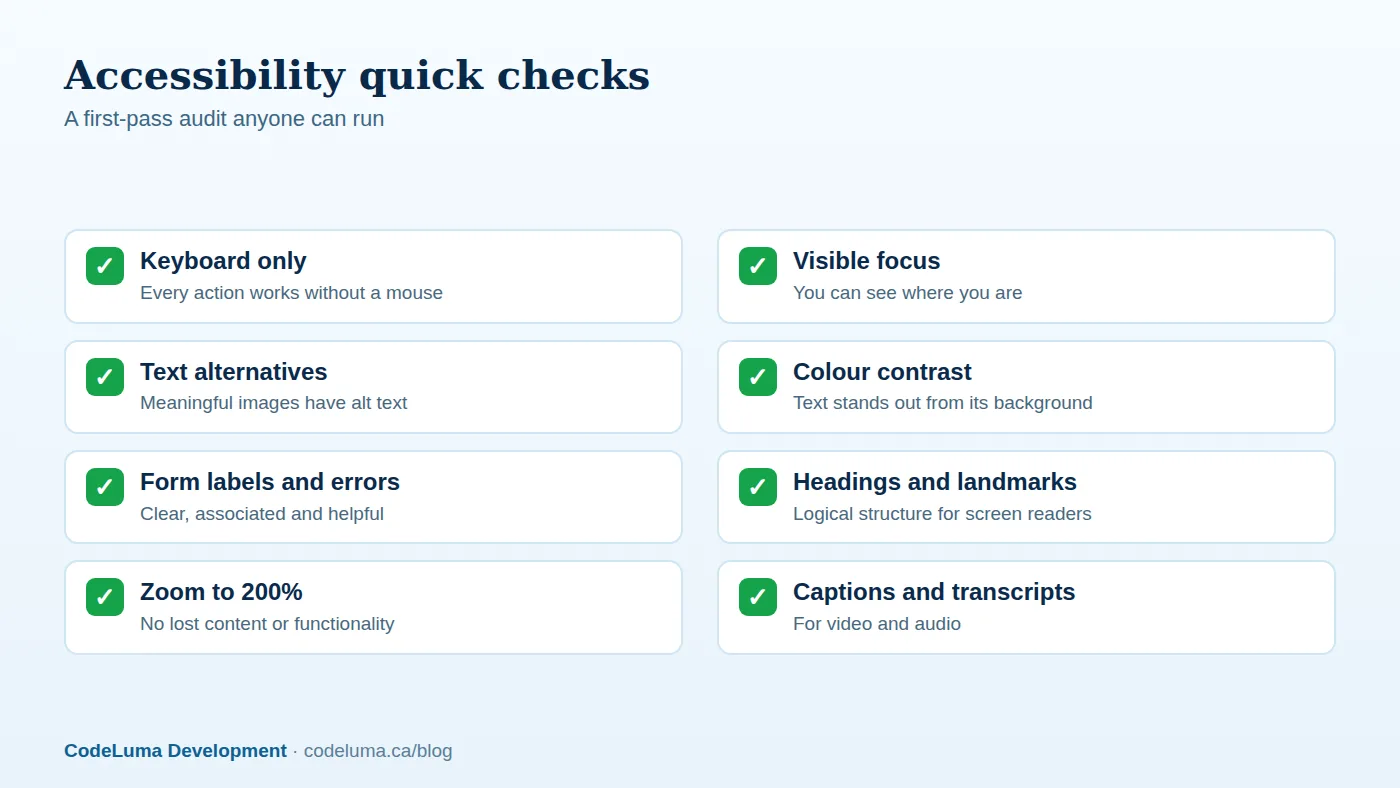
Run the quick checks above on your top journeys, prioritise fixes on high-traffic and high-value pages, and set a target of WCAG 2.2 AA for new work. An independent audit, followed by a phased remediation plan, is often the most efficient way to move from uncertain to confident. Our web team can audit an existing site or build accessibility into a new one from the first design.
Put this into practice with CodeLuma
CodeLuma designs and builds to WCAG 2.2 AA from the start, tests with real assistive technology, and can audit and remediate existing sites so more of your customers can use them.
- Website and web application development - fast, accessible, search-friendly builds.
- Custom software development - tailored systems, integrations and internal tools.
- Maintenance and support plans - updates, monitoring and ongoing improvement.
Start a conversation. Tell us about your project and we will reply with practical next steps, or browse all CodeLuma services. CodeLuma Development Inc. is a Canadian company that works with teams in Windsor, Essex, London, Toronto, Mississauga and across Ontario, throughout Canada and remotely.