Generative AI has moved from novelty to expectation. Customers now ask why the product cannot summarise a report, draft a reply or answer a question in plain language. The encouraging news is that you do not need to rebuild your application or train a model from scratch. Modern language models are available through APIs, and the real work lies in choosing valuable use cases, feeding the model the right information, and surrounding it with the engineering needed to make it reliable, safe and affordable. This guide is a practical roadmap.
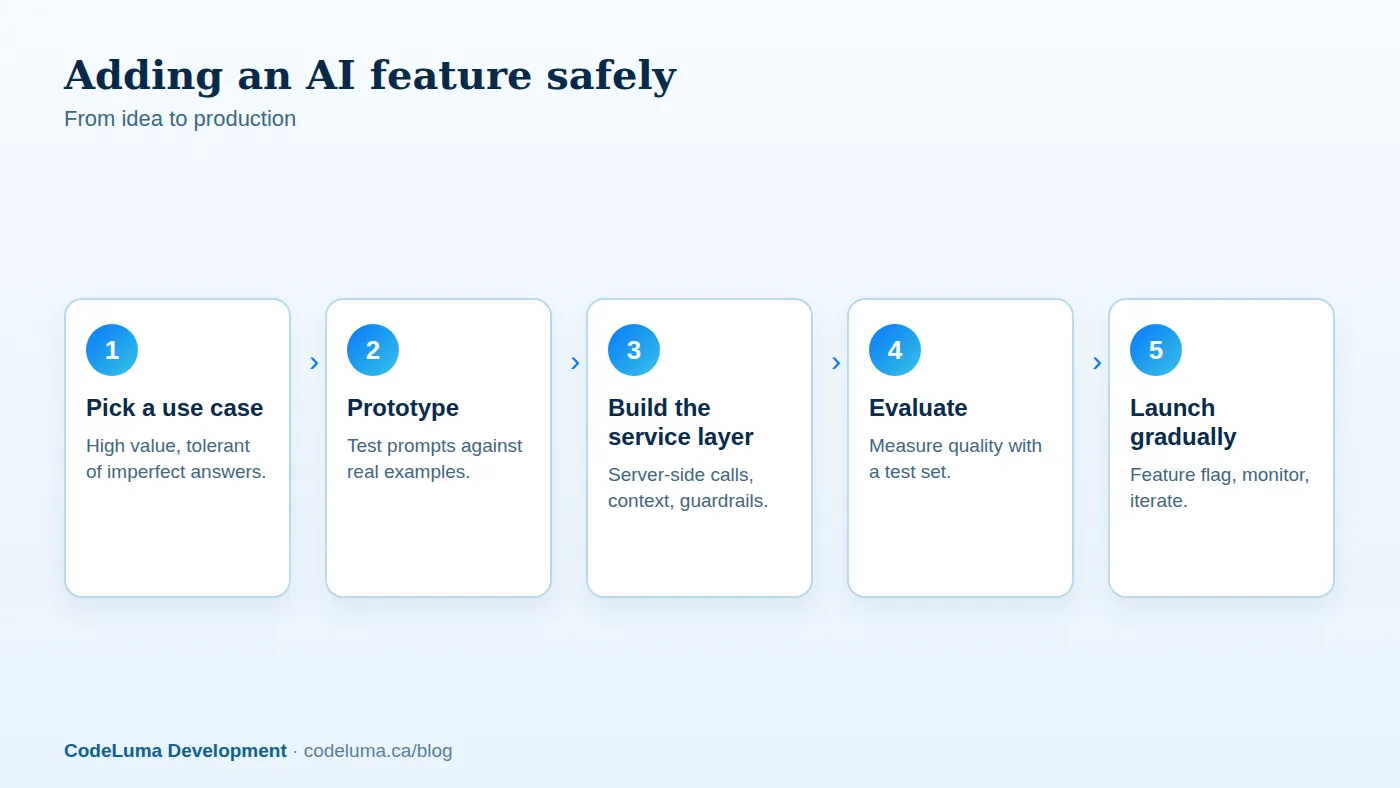
Start with the problem, not the model
List the tasks in your product where users read too much, write too much, search for things or repeat routine judgements. Then score candidates on value (time saved, revenue, satisfaction), feasibility (data available, error tolerance) and risk (harm if wrong). Good early features keep a human in the loop and are useful even when imperfect: summarising, drafting, extracting, classifying and answering questions from known content. Avoid starting with high-stakes autonomous decisions, such as approving payments or giving medical, legal or financial advice without oversight.
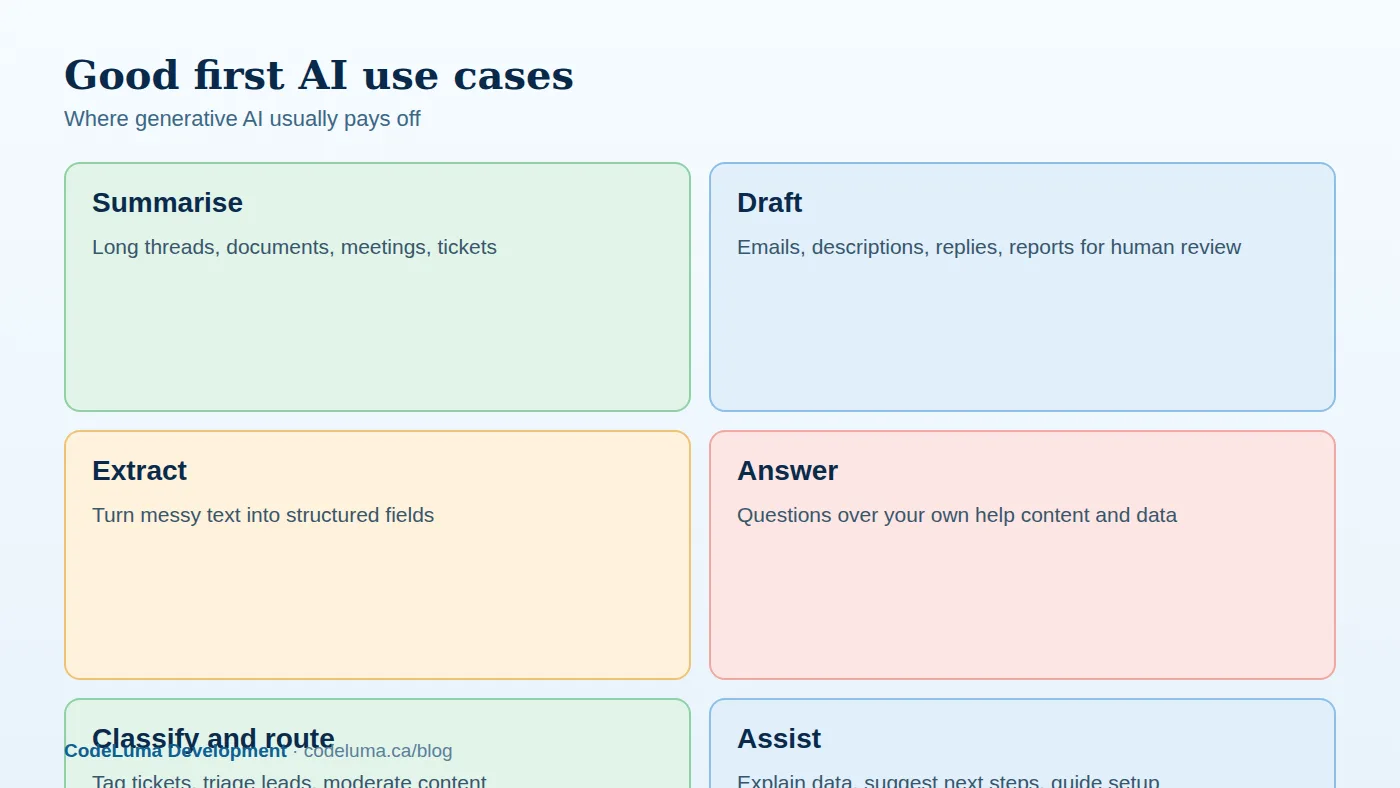

Architecture: keep AI behind your own service
Never call a model provider directly from the browser with a secret key. Route requests through your own backend, which authenticates the user, gathers context, applies permissions, calls the model, checks the output, records usage and returns the result. A dedicated AI service or module keeps prompts, provider settings, retries and logging in one place, so you can change models without touching the rest of the application. Use timeouts and retries with backoff, handle provider outages gracefully with fallbacks and clear messages, and process slow or bulk work through queues, as in our background jobs guide. Store keys securely following our secrets guide.
Give the model the right context
A model knows general facts but nothing about your customer's data. Quality depends heavily on what you put in the prompt. Provide clear instructions about role, tone, format and limits; include only the relevant records, filtered by what the current user is allowed to see; and supply examples of good outputs. For questions about your own knowledge base or documentation, use retrieval: find the most relevant passages first and give them to the model along with the question, instructing it to answer only from them and to say when it does not know. Semantic search with embeddings makes retrieval far more effective, as explained in our vector database article and our AI search article. Long contexts cost more and can dilute focus, so be selective.
Prompts and structured output
Treat prompts as code: version them, review them and test them. Ask for structured output, such as JSON that conforms to a schema, when the result feeds other code, and validate it before use, retrying or falling back when it is malformed. Keep instructions specific, give the model an explicit way to say "insufficient information," and separate trusted instructions from untrusted user or document content. See our prompt engineering guide for reliability techniques.
Streaming and user experience
Model responses can take several seconds. Streaming tokens to the interface as they are generated makes the wait feel short and lets users stop or redirect early. Design the experience around AI's nature: show that content is AI-generated, let users edit before sending or saving, provide regenerate and feedback buttons, display sources and citations for factual answers, and make errors friendly. Keep the feature optional and easy to ignore; forcing it on users breeds resentment. Loading states and skeletons matter here too, in line with our front-end performance article.
Guardrails and safety
- Prompt injection. Text from users, emails, documents or web pages can contain instructions that try to hijack the model. Treat all such content as data, never let model output execute privileged actions without checks, and limit what tools the model can invoke.
- Permissions. Enforce access control in your code before data enters the prompt. The model should never see records the user could not open.
- Output checks. Filter for inappropriate content, personal data leaks and policy violations, and validate structure.
- Human approval for consequential actions such as sending messages, changing records or spending money.
- Abuse controls. Rate limits, quotas per user and per plan, and monitoring for misuse.
Our security guidance in web vulnerabilities applies to AI endpoints as much as to any other.
Privacy and compliance
Understand what data you send to a provider and what they do with it: retention, whether it is used for training, where it is processed and what contractual protections exist. Minimise and, where appropriate, redact personal information before sending. Tell users when AI is used and how their data is handled, and respect regional rules such as those in our privacy law guide. For sensitive data, consider providers with strict data-handling terms or models you host yourself; see our comparison of fine-tuning and commercial APIs. This is general information, not legal advice.

Cost and latency control
Usage-based pricing means costs scale with adoption. Control them by choosing the smallest model that meets the quality bar for each task, using cheaper models for classification and routing and stronger ones for hard reasoning, trimming prompts, caching repeated results, limiting output length, batching non-urgent work and setting per-user and per-account quotas. Track cost per feature and per customer from day one, and design pricing, such as usage credits or a paid tier, so AI features are sustainable. Cache and reuse where possible, using the ideas in our caching article.
Evaluate before and after launch
Generative output is variable, so intuition is not enough. Build an evaluation set of realistic inputs with expected qualities: correctness, tone, format, safety. Run it whenever you change prompts or models, scoring with automated checks, human review and, carefully, model-based grading. In production, log inputs and outputs (respecting privacy), collect thumbs up and down, sample and review regularly, and watch for drift and regressions when providers update models. Add regression tests to your pipeline, as in our CI/CD article.
Roll out gradually
Launch behind a feature flag to internal users, then a small percentage of customers, monitoring quality, latency, cost and support tickets before widening; see our feature flags guide. Have a kill switch to disable the feature instantly. Communicate honestly about limitations, and collect feedback for the next iteration.
Common pitfalls
- Building a chatbot because it is fashionable, rather than solving a defined problem.
- Calling the model directly from the front end and exposing keys.
- Skipping evaluation, then discovering quality problems from customers.
- Sending too much or too sensitive data to the provider.
- Ignoring cost until the first large invoice.
- Trusting output blindly for consequential decisions.
Where to begin
Choose one contained feature, such as summarising long support tickets or drafting replies, build it end to end with guardrails and measurement, and learn from real usage before expanding. Our software team designs and integrates AI features into existing web applications and can advise on model choice, architecture and cost; our maintenance plans then keep prompts, models and monitoring current as the technology changes quickly.
Put this into practice with CodeLuma
CodeLuma adds generative AI features such as assistants, summaries, drafting and search to existing applications, with guardrails, cost controls and evaluation built in, so it ships as a dependable feature, not a demo.
- Custom software development - tailored systems, integrations and internal tools.
- Website and web application development - fast, accessible, search-friendly builds.
- Maintenance and support plans - updates, monitoring and ongoing improvement.
Start a conversation. Tell us about your project and we will reply with practical next steps, or browse all CodeLuma services. CodeLuma Development Inc. is based in Nova Scotia and works with teams across Canada and remotely.