Few things damage customer trust like paying for a product and receiving an apology email that it was actually out of stock. Overselling is a data problem: your website, marketplaces, point-of-sale system and warehouse are all trying to agree on a number that changes constantly. At small scale a spreadsheet and some care get you by; at high volume, with flash sales, multiple channels and several locations, it takes deliberate design. This guide explains the concepts and patterns behind reliable real-time inventory.
Model inventory properly
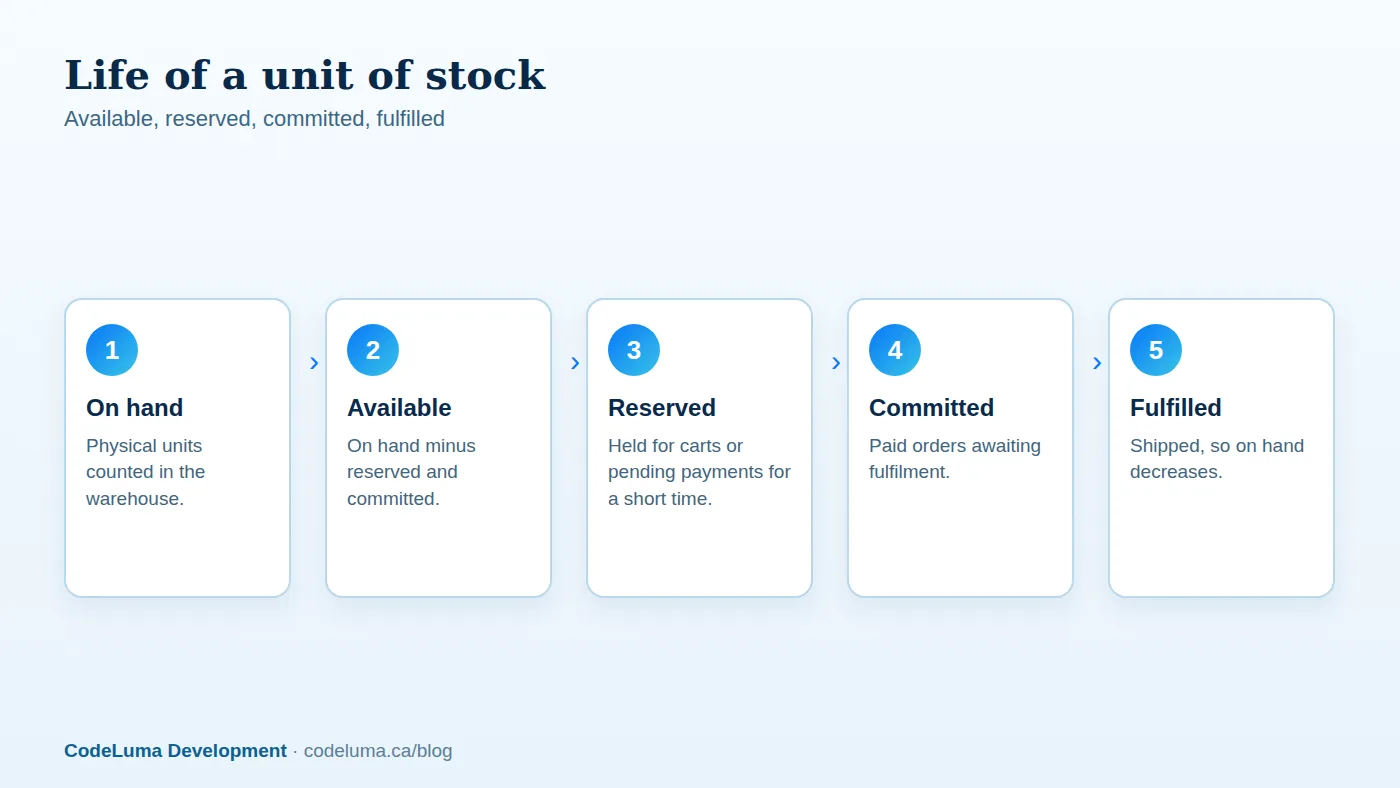
A single "quantity" field is not enough. Robust systems track several quantities per product variant and location:
- On hand: physical units in the location.
- Reserved: units held for in-progress carts or pending payments, released automatically after a timeout.
- Committed: units allocated to paid orders not yet shipped.
- Available to sell: on hand minus reserved and committed, which is the only number your storefront should treat as sellable.
- Incoming: units on purchase orders, optionally sellable as backorders with clear delivery estimates.
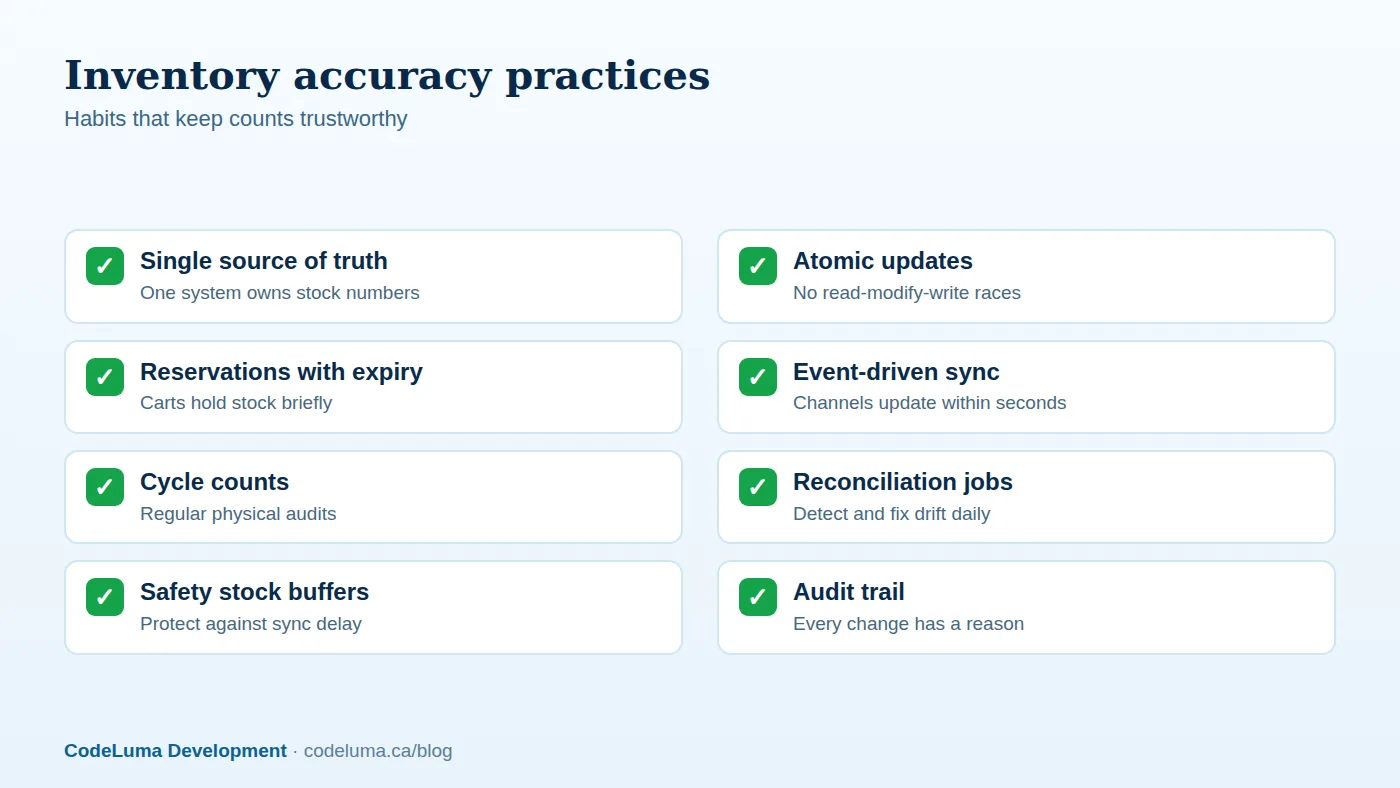
Keep a ledger of stock movements, each with a timestamp, quantity, reason and source, from which the current levels can be reconstructed. This audit trail makes discrepancies explainable and fixable.

The concurrency problem
Imagine ten units remain and two customers click "buy" simultaneously. A naive implementation reads the quantity (10), checks that it is enough, and then writes the new quantity, and two orders race through the same read. With flash sales, hundreds of these races happen per second. The solutions are well established:
- Atomic conditional updates. Perform the decrement in the database as a single statement that only succeeds if enough stock remains, and check the number of affected rows. The database's locking guarantees only one of the racing requests wins the last unit.
- Transactions with row-level locks on the inventory row when several related updates must succeed together.
- Optimistic concurrency with a version number: retry if the version changed.
- A single writer or queue for extremely hot items, so updates are serialised and processed in order.
Never rely on application-side checks alone, and never let the cached quantity be the gatekeeper for the final decision.
Reserve stock at the right moment
When should stock be reserved? Options range from adding to cart, which protects the customer but lets bots and idle carts hoard stock, to reserving at checkout start, to committing only on successful payment, which is fair but risks payment success followed by "sorry, sold out." A common compromise is a short reservation, ten to fifteen minutes, that begins when the customer enters checkout and expires automatically. For limited drops, use stricter controls: queues, purchase limits per customer and bot protection. Whatever you choose, tell shoppers clearly about the timer.
Sync across channels without chaos
If you sell on your website, marketplaces and in stores, one system must be the source of truth, usually an inventory or order management system, an ERP, or your commerce platform. Other channels should receive updates from it and send their orders into it. Prefer event-driven synchronisation, where every change publishes an event that other systems consume, over periodic bulk imports that leave gaps of minutes or hours. Use webhooks and message queues with retries, and make consumers idempotent so duplicate events do not double-count. Our guide to webhooks and workflows connecting stores to ERP and CRM explains these patterns.
Build in buffers and safety stock
Sync always has some delay, and physical counts are never perfect. A safety stock buffer, where you list slightly fewer units than you hold on hand, absorbs timing gaps, especially on marketplaces with slower updates. Set larger buffers for fast-moving, high-risk items and smaller ones for slow sellers. For third-party channels, allocate stock explicitly where overselling penalties are severe.
Handle multiple warehouses and locations
With more than one location, decide how orders are allocated: nearest to the customer, cheapest to ship, or highest stock. Track inventory per location, and expose a combined available-to-sell number to the storefront. Support transfers between locations as first-class movements. Consider split shipments and their cost impact, and give customers accurate delivery estimates based on the location that will actually fulfil the order.

Keep counts honest in the real world
- Cycle counting. Count a rotating subset of products regularly instead of shutting down for an annual stocktake.
- Scan-based workflows for receiving, picking and packing, which reduce human error.
- Reason codes for adjustments, such as damage, theft, returns and miscounts, to reveal patterns.
- Returns processing that decides whether items return to sellable stock, go to quarantine or are written off.
- Daily reconciliation between the ledger, the storefront and connected channels, with alerts when drift exceeds a threshold.
Design for flash sales
High-demand events stress every part of the system. Cache product pages aggressively but keep the stock check and reservation authoritative and fast. Move non-critical work off the request path. Use a waiting room to smooth the surge, apply per-customer purchase limits and rate limiting, and load test with realistic contention on hot items. Our advice on surviving traffic spikes applies directly. After the event, reconcile carefully and communicate promptly with any customers affected by errors.
Show stock honestly
Display accurate availability, such as "in stock," "only a few left" when true, and "back in stock on" with real dates. Offer notify-me emails for sold-out items, and consider backorders or pre-orders with clear expectations. Honest communication turns a stockout into a future sale rather than a lost customer.
Where a custom build helps
Platform inventory features work well for straightforward catalogues. Custom development pays off when you have several channels, multiple warehouses, kitting or bundles, made-to-order items, unusual allocation rules or heavy integration with warehouse and ERP systems. A custom software team can build an inventory layer that stays consistent under load and fits the way your operation really works.
Put this into practice with CodeLuma
CodeLuma builds inventory systems that stay accurate under load, with reservations, atomic updates and reliable multi-channel sync, so you stop overselling and stop apologising to customers.
- Custom software development - tailored systems, integrations and internal tools.
- Website and web application development - fast, accessible, search-friendly builds.
- Maintenance and support plans - updates, monitoring and ongoing improvement.
Start a conversation. Tell us about your project and we will reply with practical next steps, or browse all CodeLuma services. CodeLuma Development Inc. is a Canadian company that works with teams in Windsor, Essex, London, Toronto, Mississauga and across Ontario, throughout Canada and remotely.