A note on this article: this is a representative walk-through built from the kinds of engagements common in this work. It is not a report on one named client, and the numbers are illustrative of what a well-planned optimisation can achieve, not a guarantee. Results depend on the starting point, the platform and the traffic. We chose this format because the process is the useful part, and it is one you can follow on your own site.
The starting point
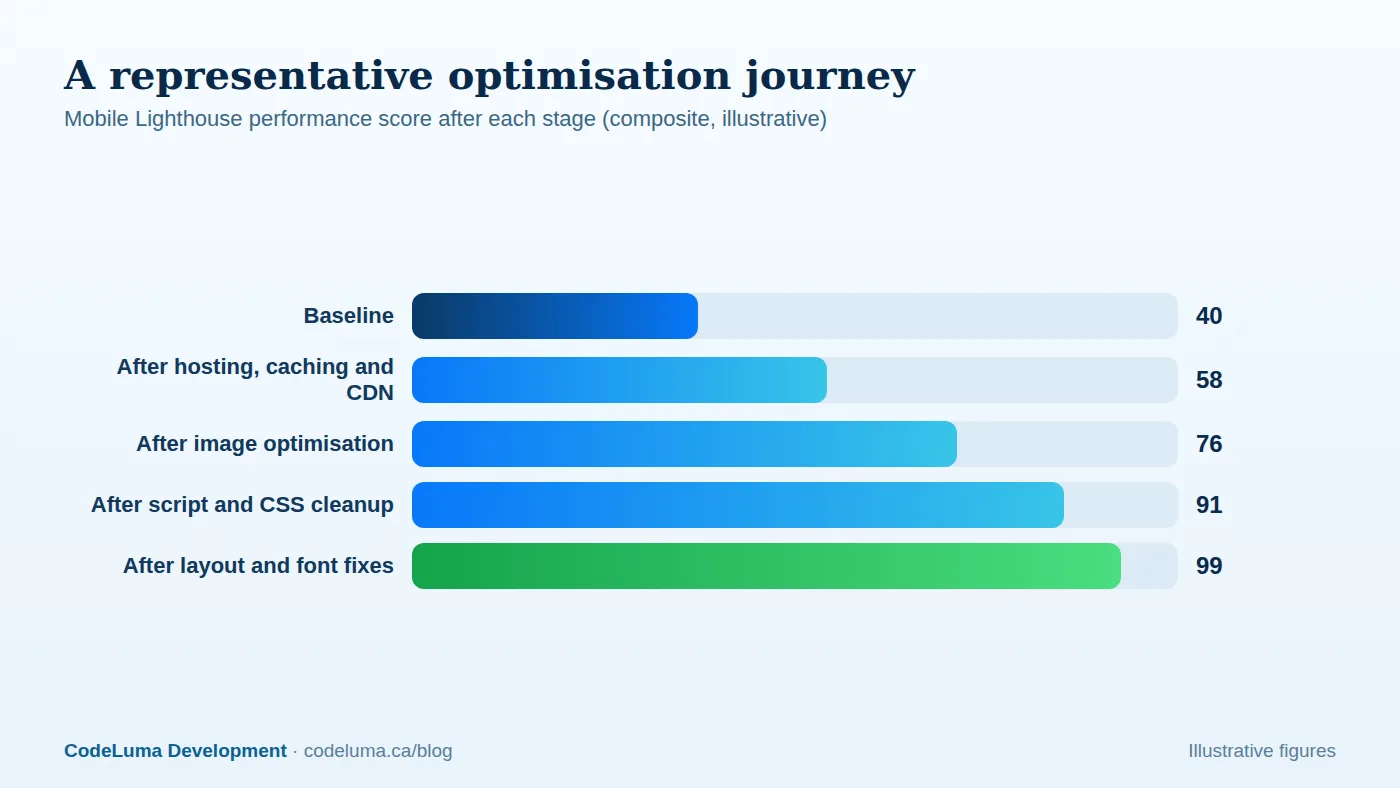
Imagine a small business website built on a popular content management system. Over the years it accumulated a heavy page-builder theme, more than thirty plugins, a slider on every page, large uncompressed photographs, three analytics and marketing tags, and inexpensive shared hosting. On a mobile test, the performance score sits around 40. Largest Contentful Paint takes well over four seconds, layout shifts are visible, and the page needs more than two megabytes of JavaScript and images to show a home page. Enquiries have flattened even though ad spend has increased.

Step one: measure properly
Before changing anything, we record a baseline. That means lab tests on the five most important pages, real-user data from PageSpeed Insights and Search Console where available, and a waterfall view of what loads in what order. We note the top opportunities and, crucially, agree the business measures we will watch: enquiry form submissions, phone taps, bounce rate on landing pages and organic traffic. Without a baseline you cannot prove an improvement, and without business measures you cannot prove it mattered.
Step two: fix the foundation (score 40 to about 58)
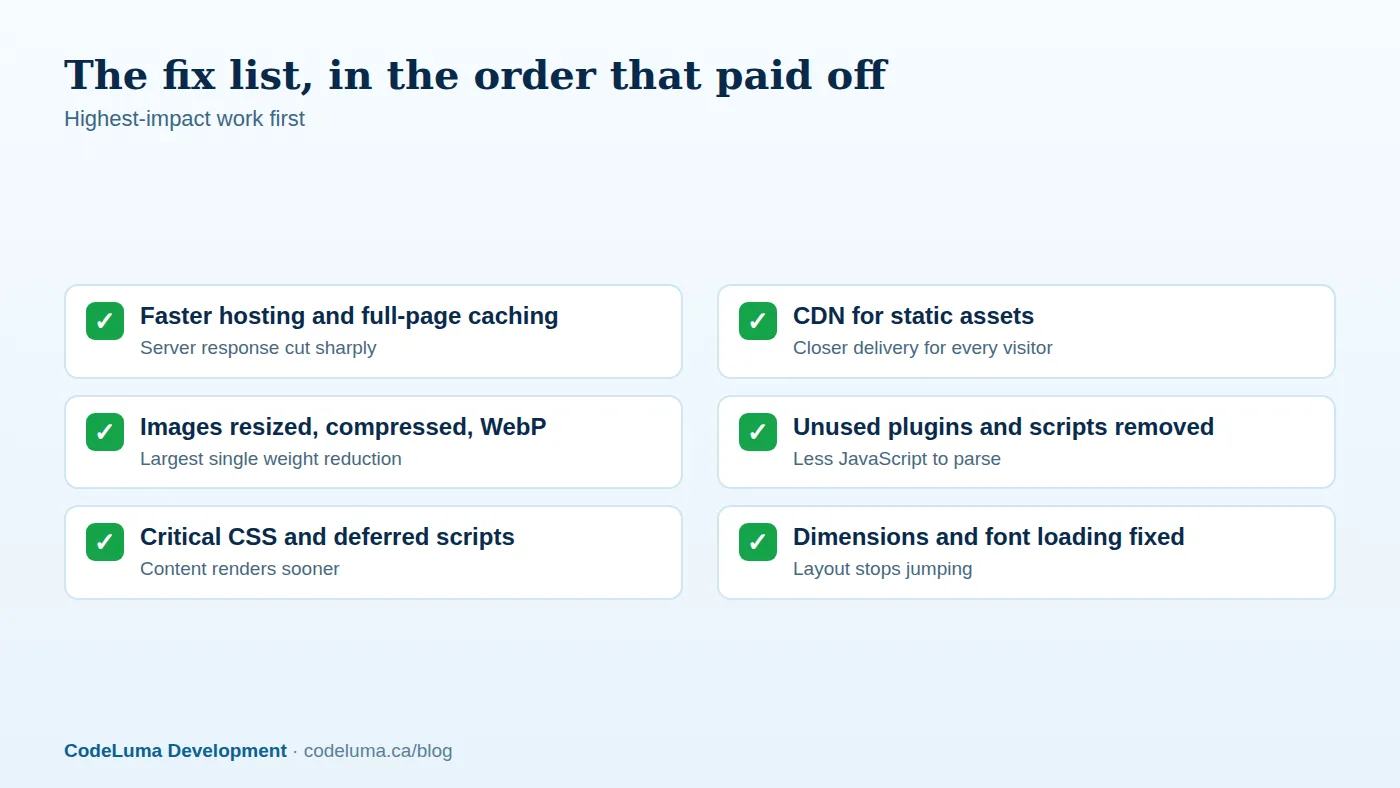
The largest early gain comes from the server and delivery layer. We move to faster hosting with modern PHP and HTTP/2 or HTTP/3, enable full-page caching so most visitors receive prebuilt HTML, and put a CDN in front of static files. Time to first byte falls from over a second to a few hundred milliseconds. Nothing visible changes on the page, yet everything downstream starts sooner. This is why we recommend caching and a CDN before touching the design.
Step three: tame the images (58 to about 76)
The home page carries a 3 MB hero photo, a slider with five more large images, and team photos displayed at a fraction of their real size. We resize each image to the size actually displayed, compress it, convert to WebP with a fallback, add proper width and height attributes, lazy-load everything below the fold, and preload the hero image. Page weight drops by more than half. Details and tooling are covered in our article on image optimisation strategies.
Step four: cut scripts and CSS (76 to about 91)
An audit of plugins shows many overlapping features: two form plugins, a social feed that no longer matters, a slider library used once, and analytics tags firing duplicate events. We remove or replace the unnecessary ones, replace the slider with a single static hero, consolidate tags through a tag manager with consent handling, and defer non-critical JavaScript. We inline the critical CSS for the top of the page and load the rest asynchronously, and we remove unused styles from the page-builder output. Main-thread work drops significantly, which improves responsiveness.
Step five: stabilise the layout and fonts (91 to 99)
The last few points come from polish: reserving space for images, embeds and the cookie banner to eliminate layout shift, preloading the two fonts actually used, subsetting them, and setting font-display so text appears immediately. We also fix a late-loading review widget that pushed content down. Cumulative Layout Shift falls near zero, and the visual experience feels calm and instant.
What we watched for the business
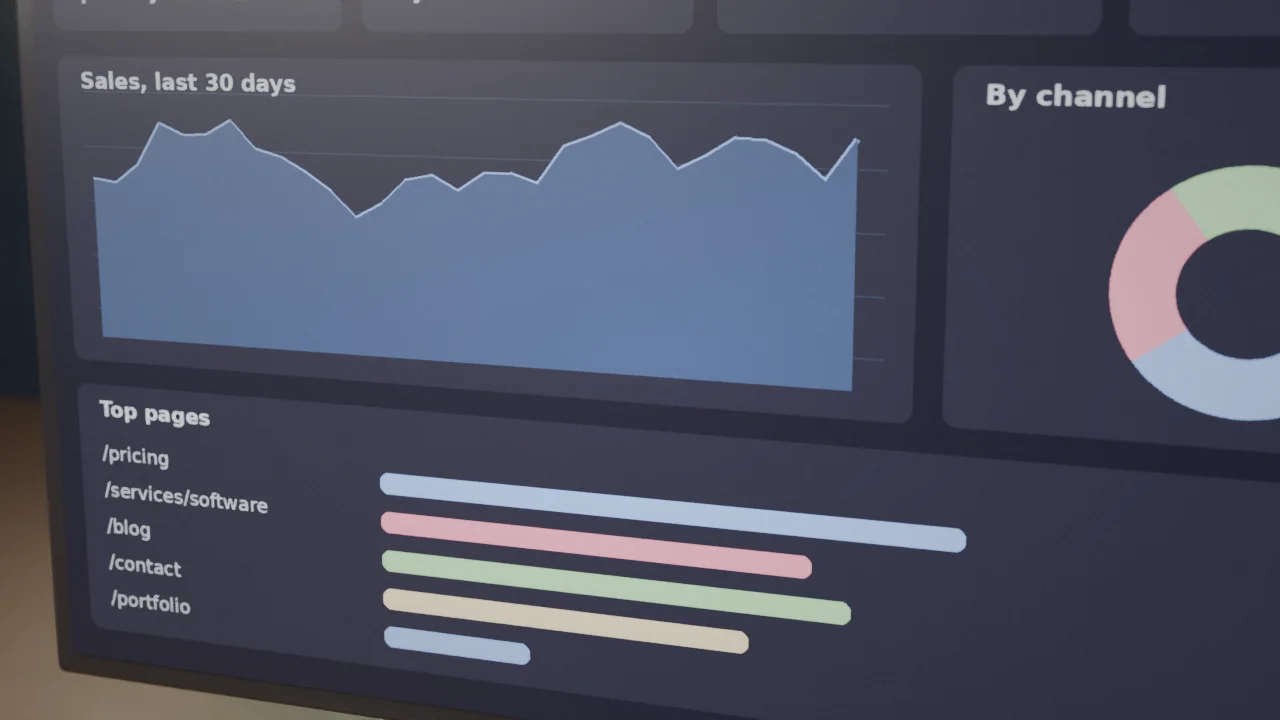
Improvements only matter if customers benefit. In an engagement like this we would track enquiry rate, phone taps, bounce rate on top landing pages, pages per session, and organic clicks over the following weeks, comparing against the baseline while accounting for seasonality and marketing changes. Typical outcomes are lower bounce, more form submissions from the same traffic and improved search visibility over time, but we would never promise a specific uplift in advance.
Pitfalls we avoid
- Chasing the score. A perfect lab score is not the goal; real-user experience and business results are. We optimise for both.
- Breaking things. Deferring scripts and caching pages can break forms, carts and personalisation. We test critical flows after every change and keep a rollback plan.
- Removing tracking without thought. Marketing needs its data; we consolidate tags rather than delete them blindly.
- One-off fixes. Without budgets and monitoring, speed drifts back down within months.
Keeping the gains
We set a performance budget for page weight and key metrics, add automated checks to the release process, and schedule a monthly review. New plugins, images and marketing tags go through a quick performance check before launch. A brief monthly maintenance routine costs far less than a periodic emergency rescue.
Try it on your own site
You can apply this sequence yourself: measure, fix hosting and caching, optimise images, remove unnecessary scripts, stabilise layout, then set a budget. If your site is complex or the platform is fighting you, a rebuild on a lighter architecture may be more effective than endless patching, and our team can help you decide which path fits your situation.
Put this into practice with CodeLuma
If your site scores in the red, CodeLuma can run the same kind of audit, fix the causes in priority order, and give you a before-and-after report you can actually show your team.
- Website and web application development - fast, accessible, search-friendly builds.
- Managed hosting - monitored, backed-up, Canadian-friendly hosting.
- Maintenance and support plans - updates, monitoring and ongoing improvement.
Start a conversation. Tell us about your project and we will reply with practical next steps, or browse all CodeLuma services. CodeLuma Development Inc. is a Canadian company that works with teams in Windsor, Essex, London, Toronto, Mississauga and across Ontario, throughout Canada and remotely.